
Adding a printer
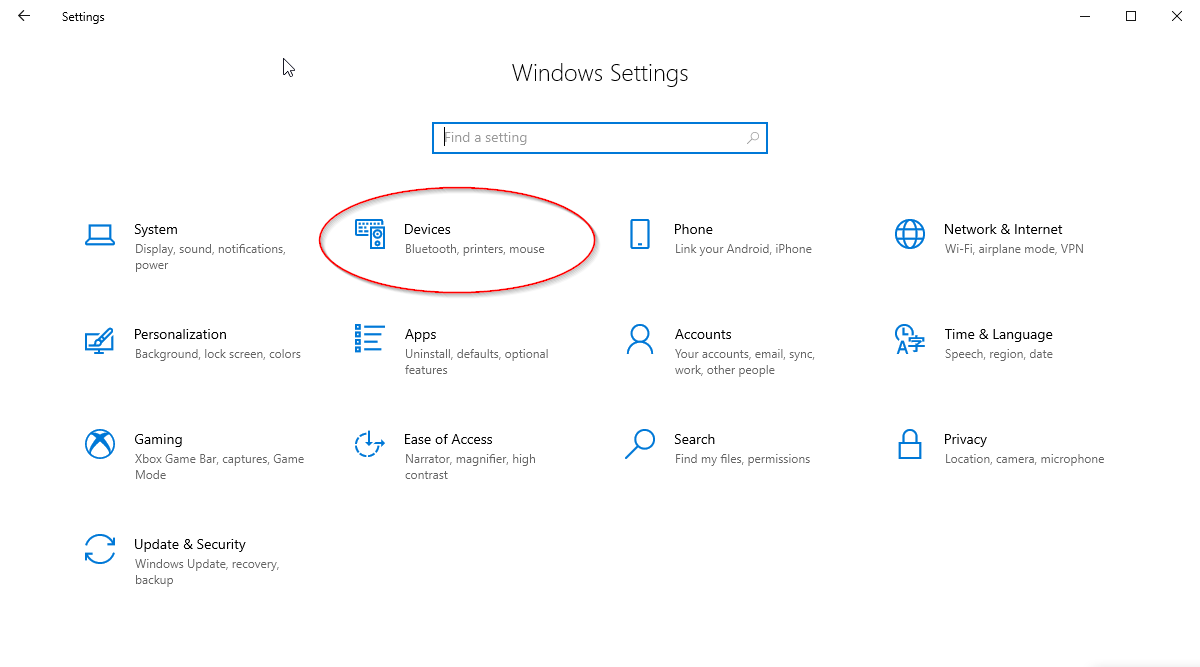
To add a network printer, go to Settings -> Devices:
 Click "Printers & scanners" on the left side. Click the "Add a printer or scanner" button.
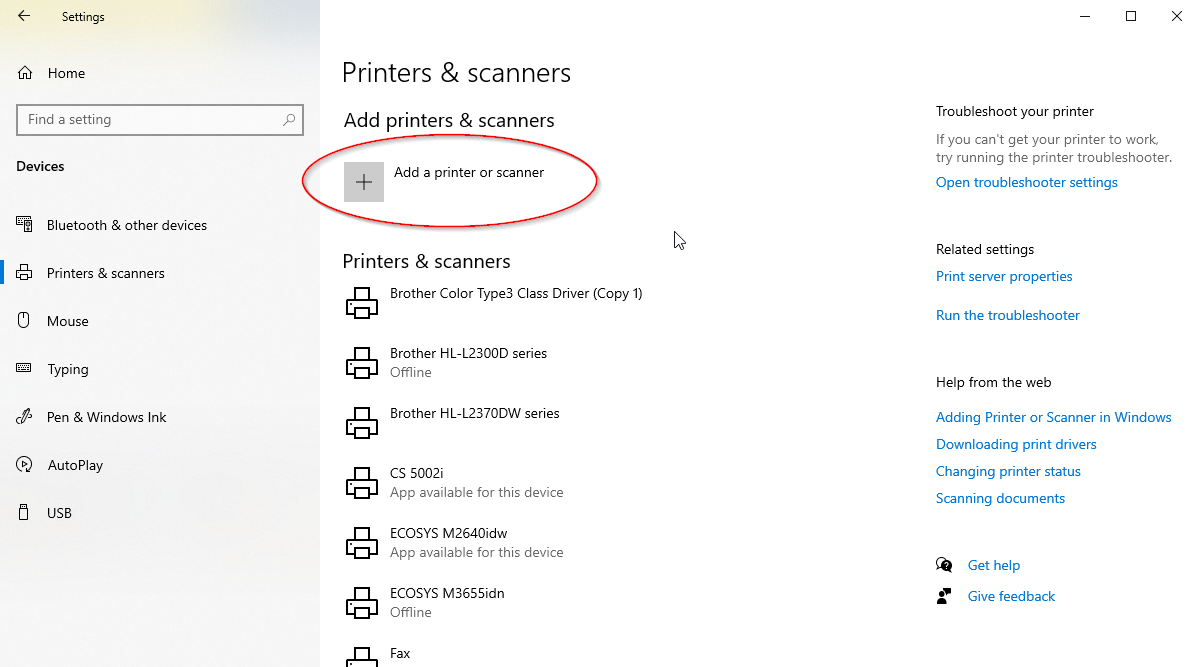
Select from the list the printer you'd like to add.
Troubleshooting a printer
If your printer does not print, try the following:
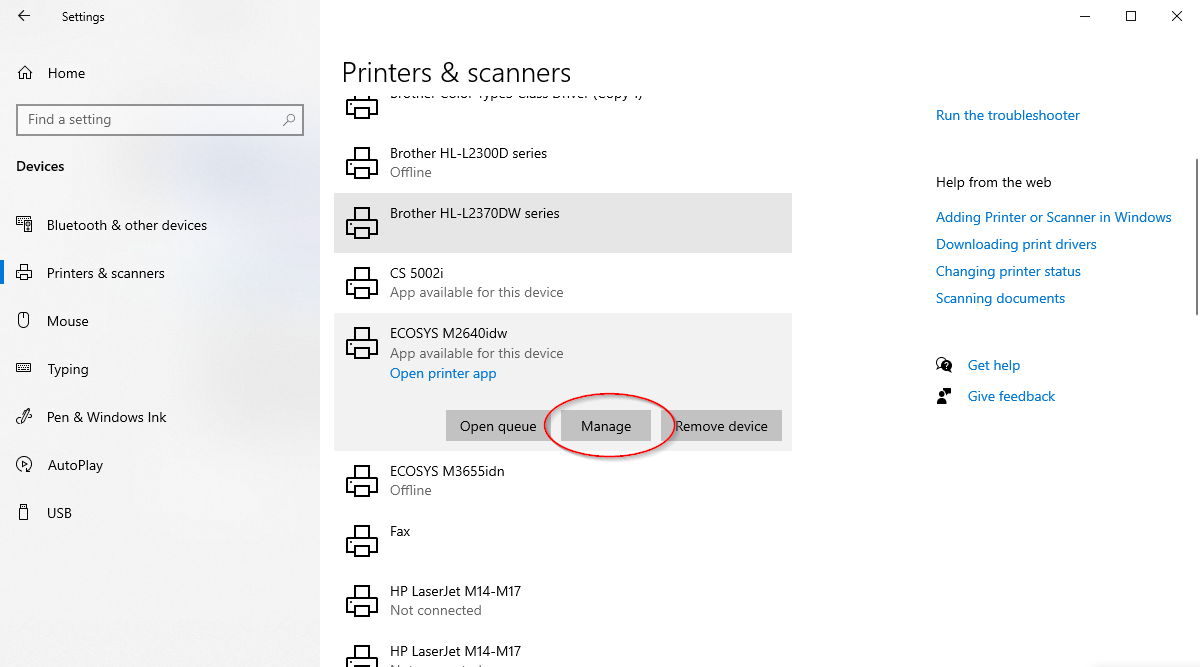
- Cancel the jobs in the queue. Go to Printers & scanners like shown above, select the printer that's not printing, and click Manage.
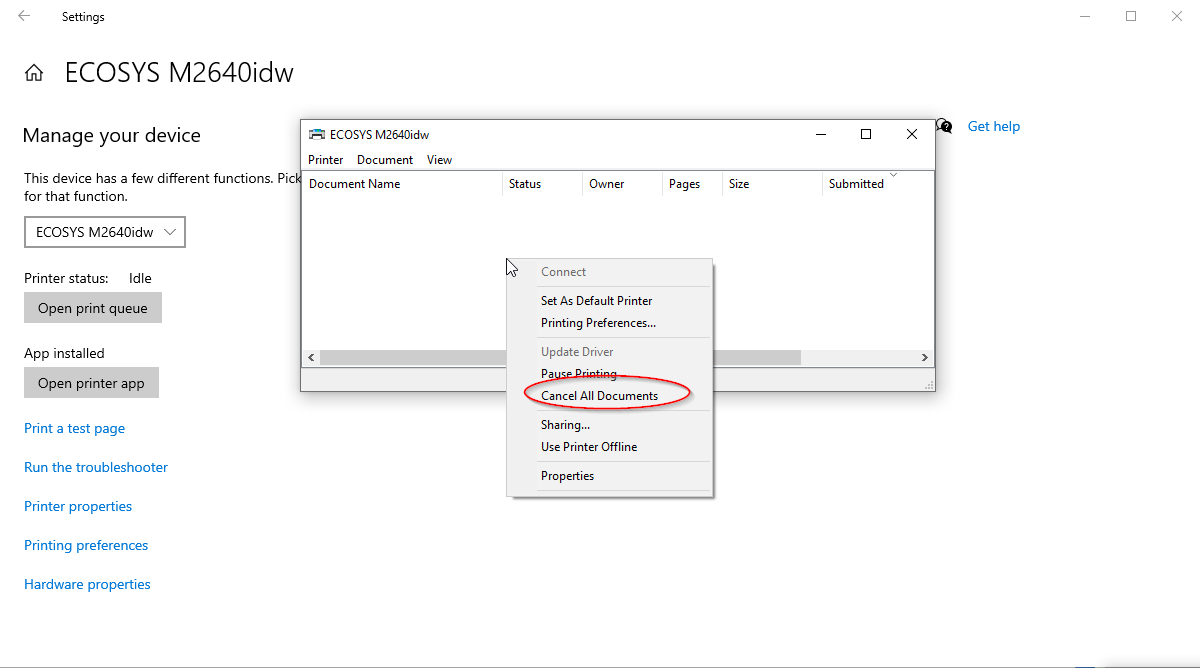
Click "Open print queue", right click on the queue screen, and click Cancel all documents.
If your printer still isn't printing, find the printer in your list of printers, and instead of clicking Manage, click "Remove device", then follow the above steps for re-adding the printer.