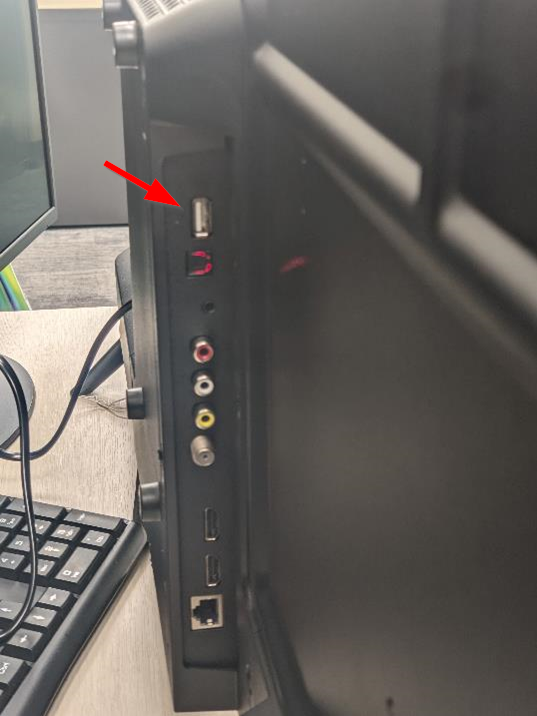
Insert USB memory stick into back of TV.
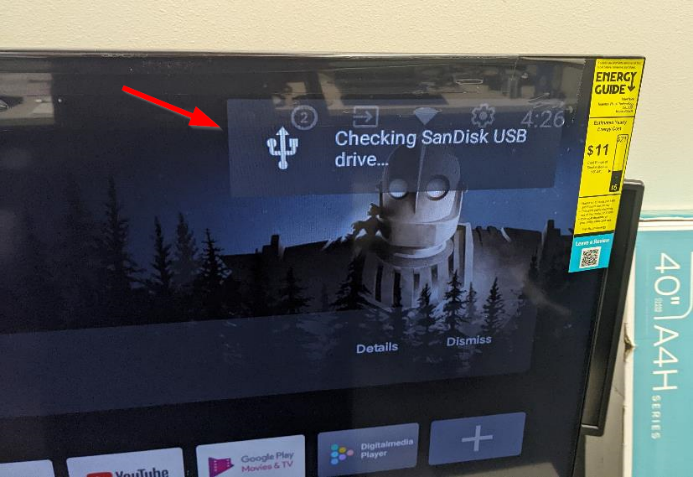
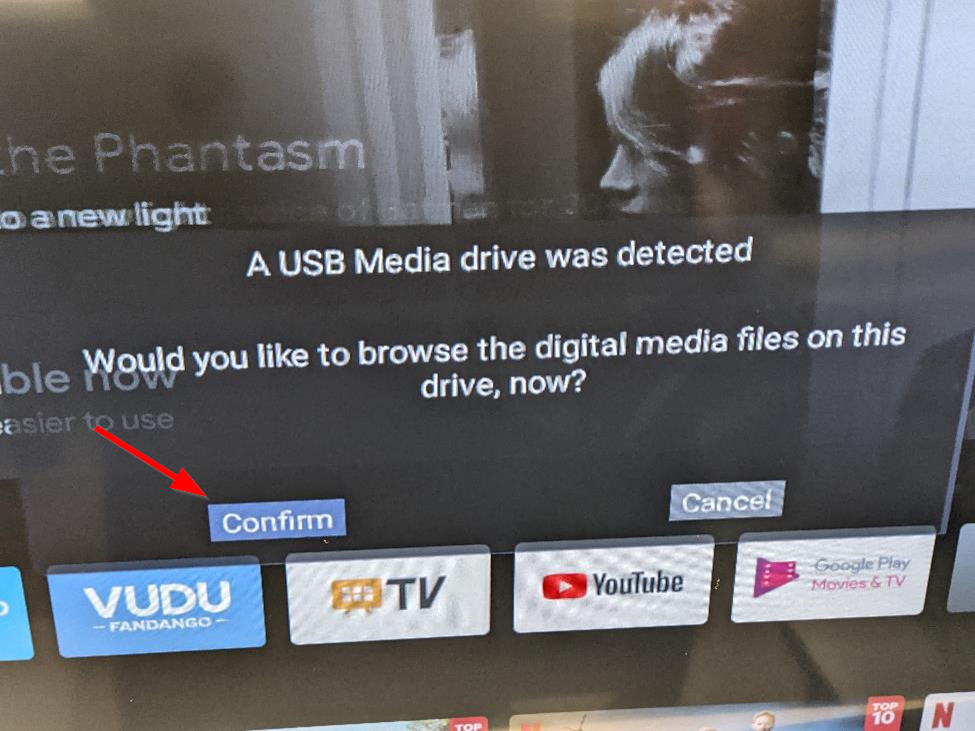
If a message pops up saying "A USB Media drive was detected - Would you like to browse the digital media files on this drive, now?" choose confirm. Browse to the location of the file in folder "Movies" or the main directory and select it.
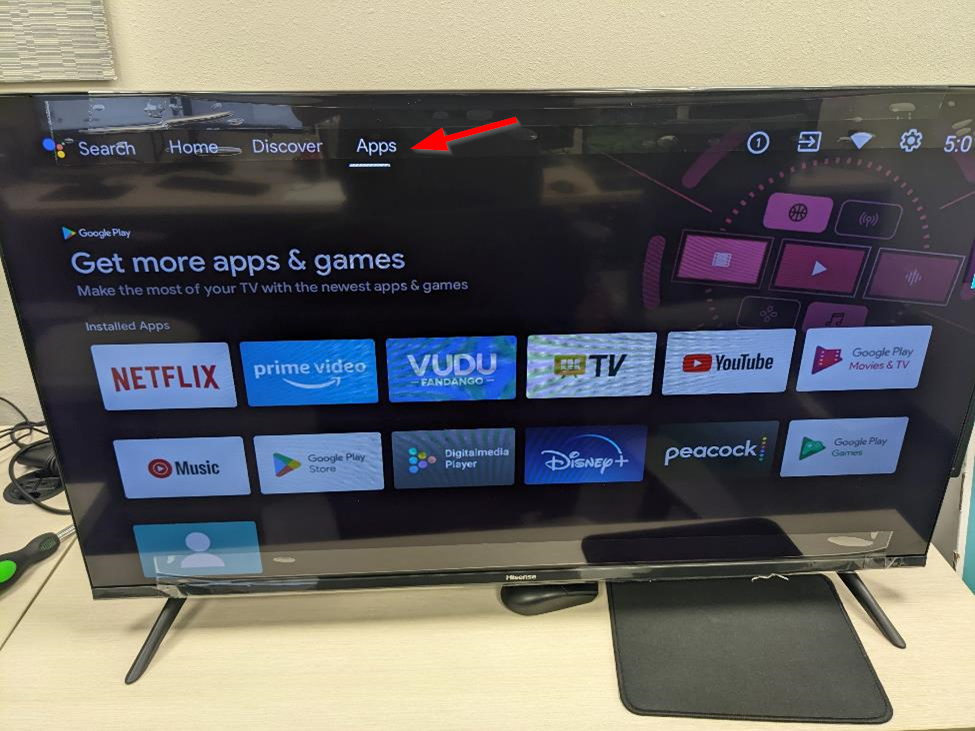
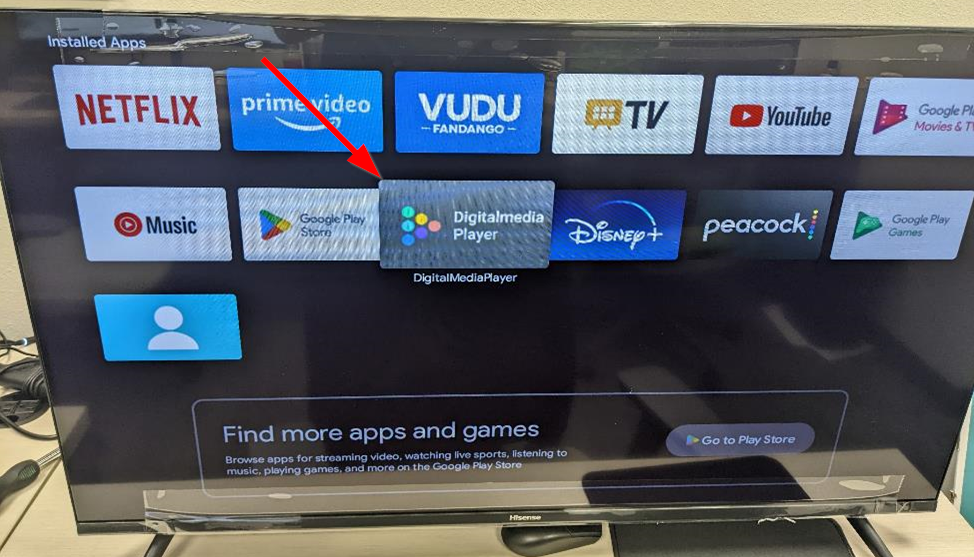
The other way to play movies from the USB is to go to the top Menu bar then Navigate to "Apps" then choose "DigitalMediaPlayer". Browse to the location of the file in folder "Movies" or the main directory and select it.
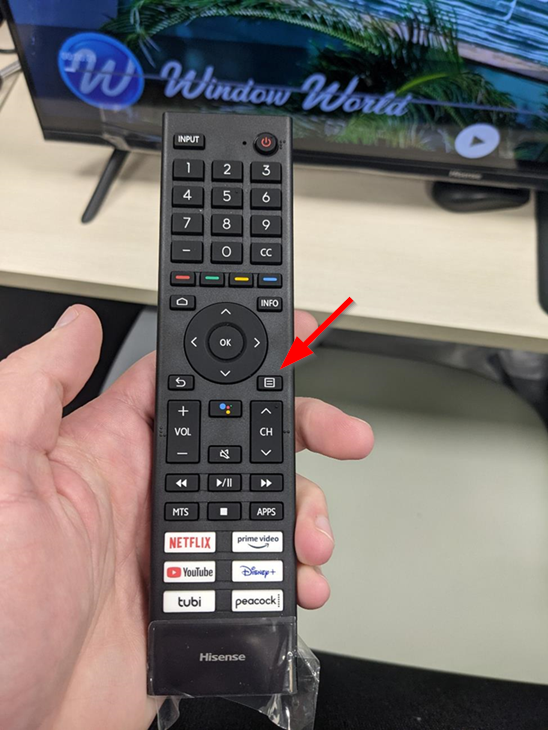
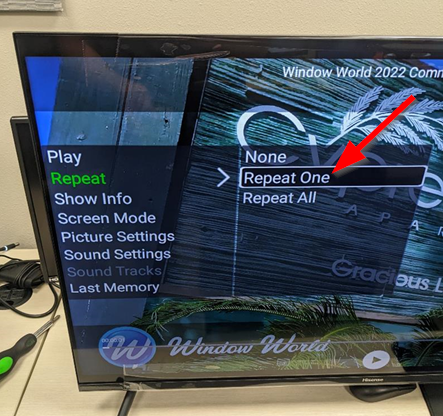
To set repeat: When the video opens Press the "Menu" button on the remote (right above Channel Up). Choose "Repeat" then "Repeat One" to set the video to repeat.
Illustrated Guide:
Insert USB memory stick into back of TV.
If a message pops up saying "A USB Media drive was detected - Would you like to browse the digital media files on this drive, now?" choose confirm. Browse to the location of the file in folder "Movies" or the main directory and select it.
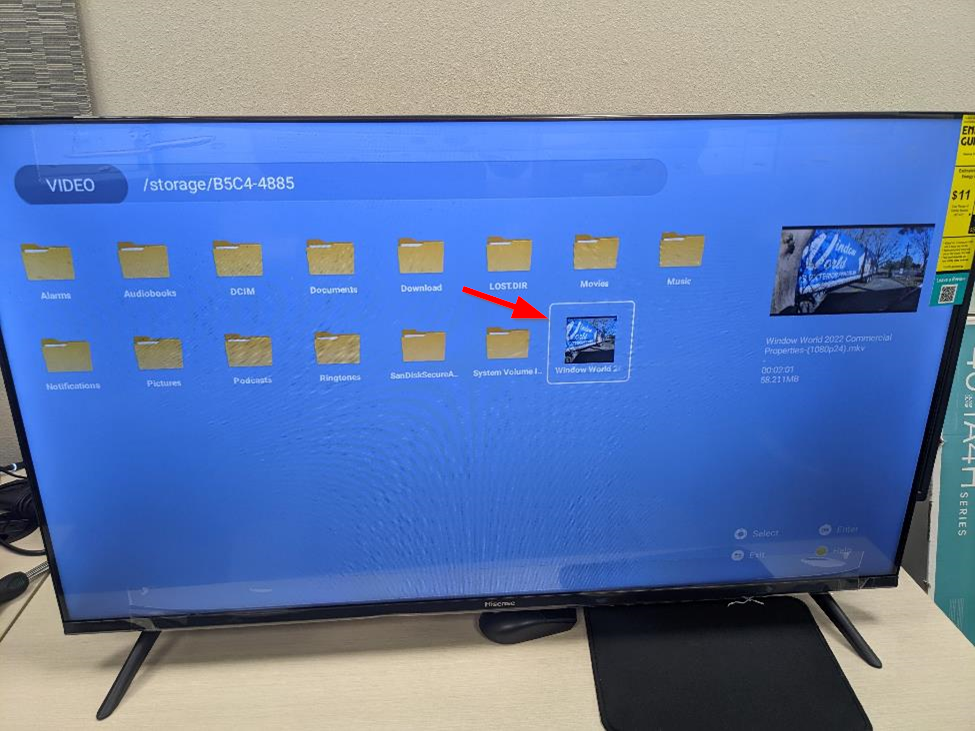
The other way to play movies from the USB is to go to the top Menu bar then Navigate to "Apps" then choose "DigitalMediaPlayer" in the "Installed Apps" section. Browse to the location of the file in folder "Movies" or the main directory and select it.
To set repeat: When the video opens Press the "Menu" button on the remote (right above Channel Up). Choose "Repeat" then "Repeat One" to set the video to repeat.