
Go to the App Store and download Google Photos
- Open the app, log into your work email
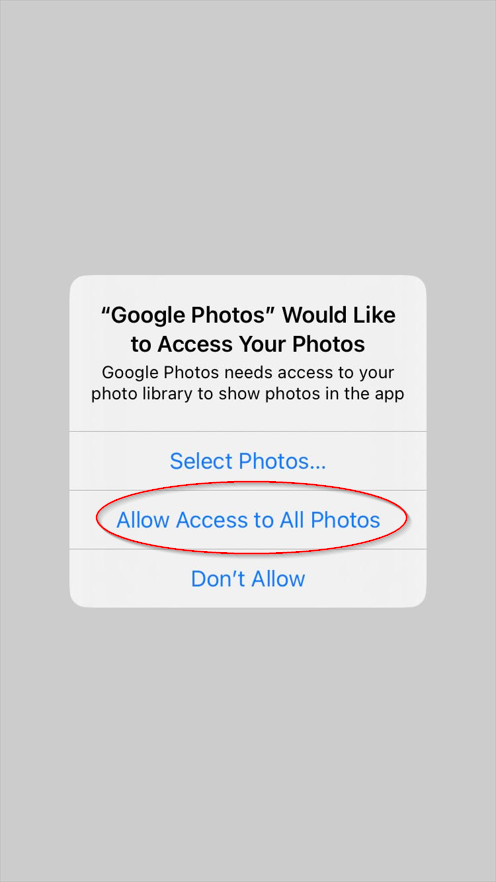
- Press Allow Access to All Photos
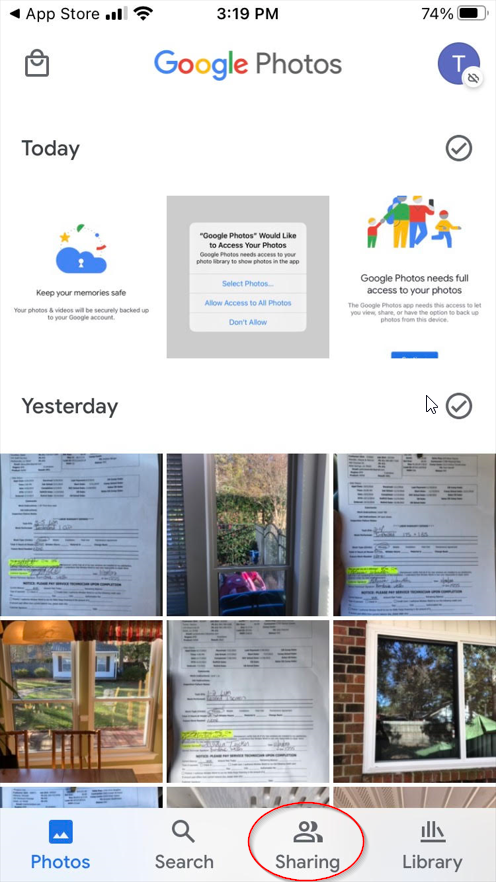
- On the bottom bar click the Sharing tab.
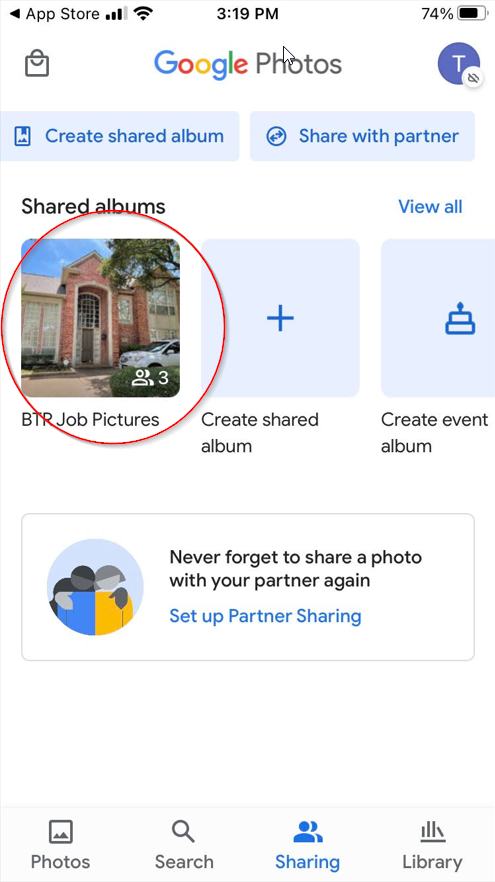
- There you should see under Shared albums the Job Pictures album
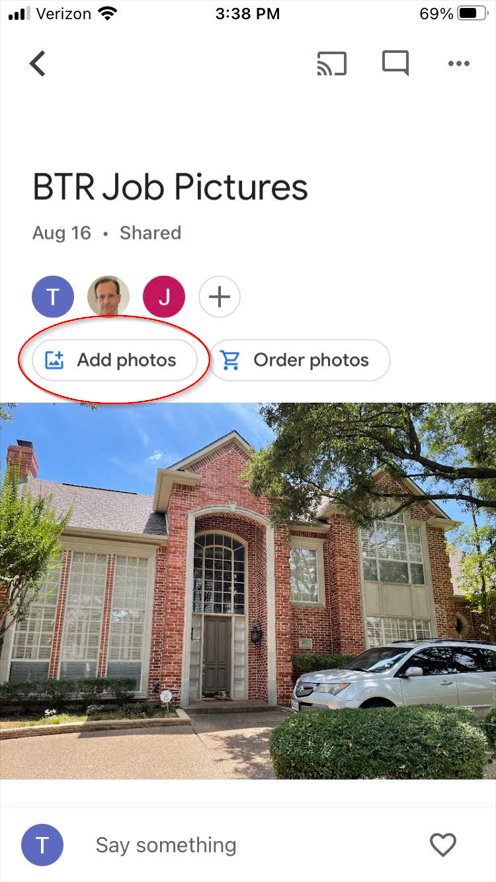
- You can view all photos in the album or add photos by clicking Add photos
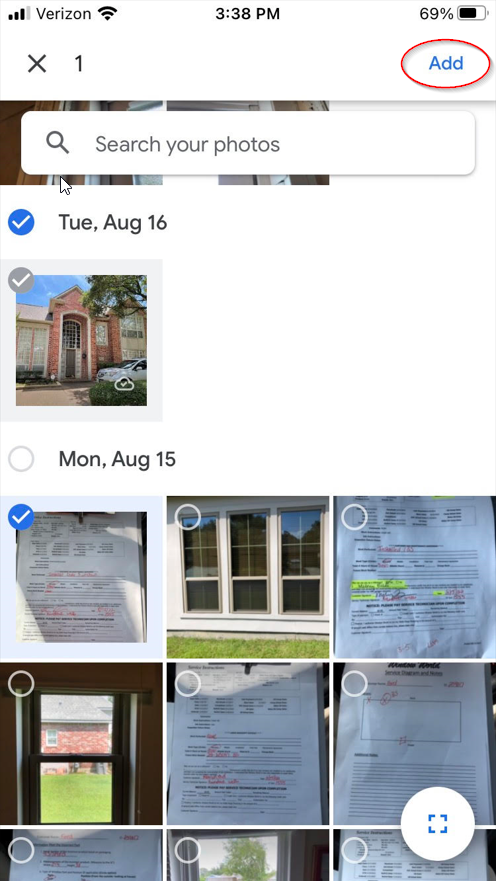
- Select the photos from the list then click Add at the top right