
On the Employee Management > Employee Maintenance > Jobs screen, I’m clicking “edit” and selecting “Service Techs – Full Time Hourly” in the Override Policy Group dropdown, then Saving.
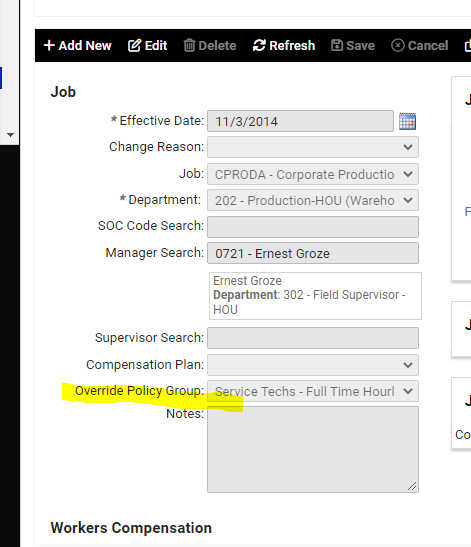
Our Time system works in “Policy Groups” - which is a set of rules for different groups of similar employees that determine how the system works for them. The “Service Tech – Full Time Hourly” group has all of the same rules as the other Hourly, Full Time employees, except that they can punch from their phones.
Note – there is also a “Service Tech – Part Time Hourly” option. The rules for that Policy Group are just like the Service Tech – Full Time Hourly rules except there are no paid holidays. So, if you had a Part Time Hourly employee that needed mobile punching access, you could override the Policy Group to “Service Tech – Part Time Hourly”.