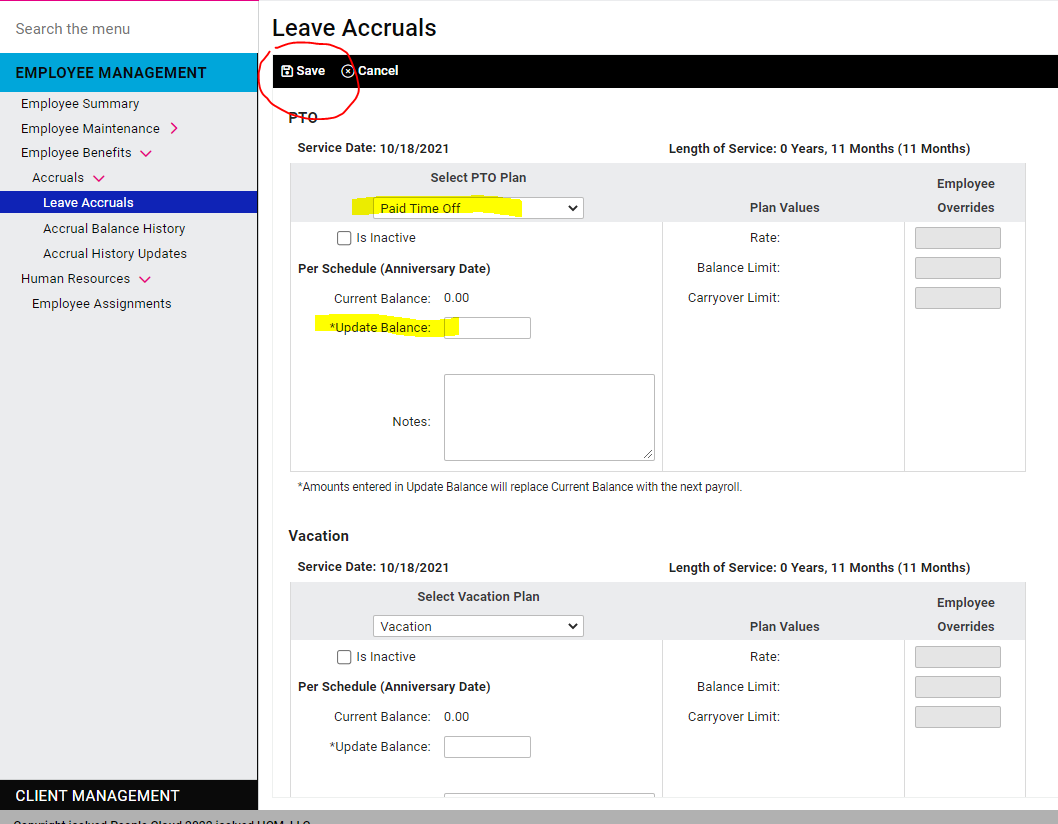
Accrual Balances are updated under Employee Management > Employee Benefits > Accruals > Leave Accruals.
You’ll see the policies that the employee is eligible for. Be sure the Plan is selected in the dropdown for each policy, then enter the balance in the Update Balance field. Click Save at the top of the screen.
Please note: this field acts as a balance override, not an additional of hours to the current balance.
The balance will become available to the employee as soon as you Save the screen. However, they will not see an updated balance in their portal until the next payroll is processed.