
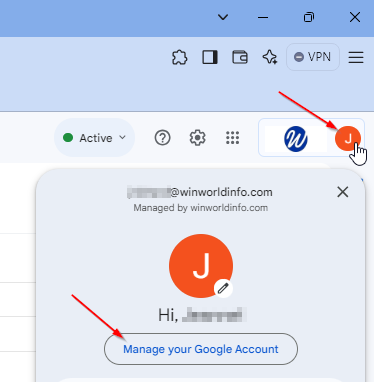
Click top right corner letter in circle, then Manage your Google account:
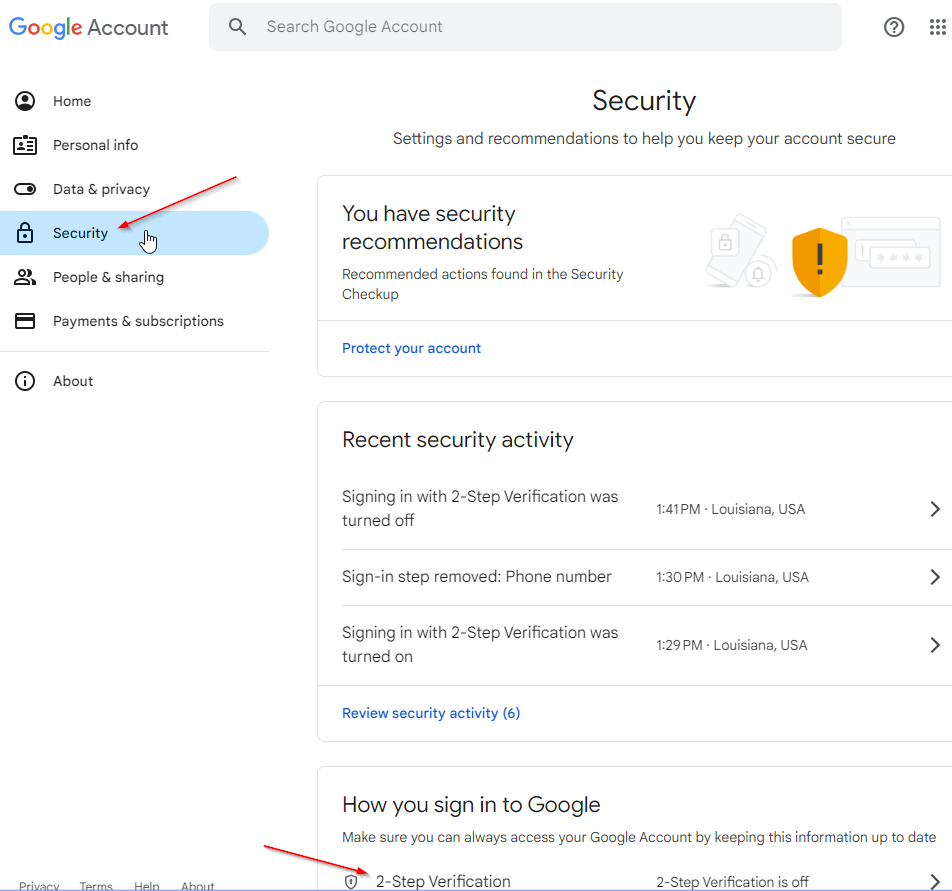
Click Security, Two-step verification:
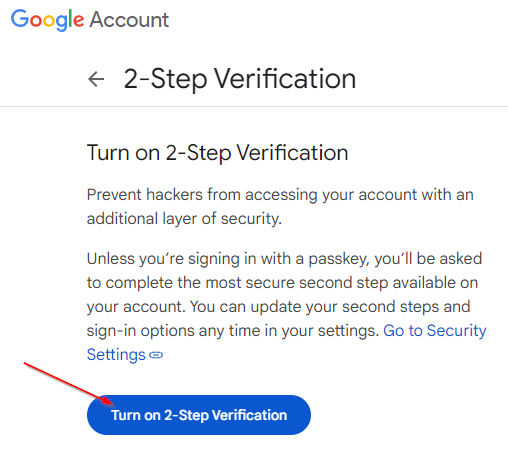
Click Turn on 2-Step Verification:
Add one or more second steps:
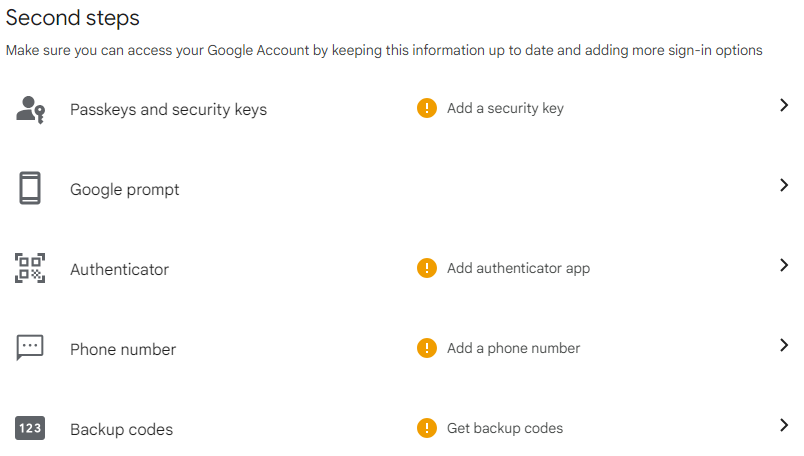
Passkeys and security keys: You can create and add a passkey to your mobile device. This will require a Bluetooth between your computer and mobile device.
Google prompt: get a prompt on your mobile device that you can use to confirm that it's you.
Authenticator: app on your mobile device that will generate a random six-digit number every 30 seconds that you can type when prompted. Most popular is Google Authenticator.
Phone number: get an SMS text message with a code that you can type when prompted.
Backup codes: random codes that you can enter to get into your account if all else fails.