
Email:
- You will receive two emails regarding the AMI load sheet.
- The first email will have the subject of: Load Sheet of MM/DD/YYYY Trailer CCCC
- This email will contain a word doc that will need to be saved as a pdf.
- Within the document, you will find the following information:
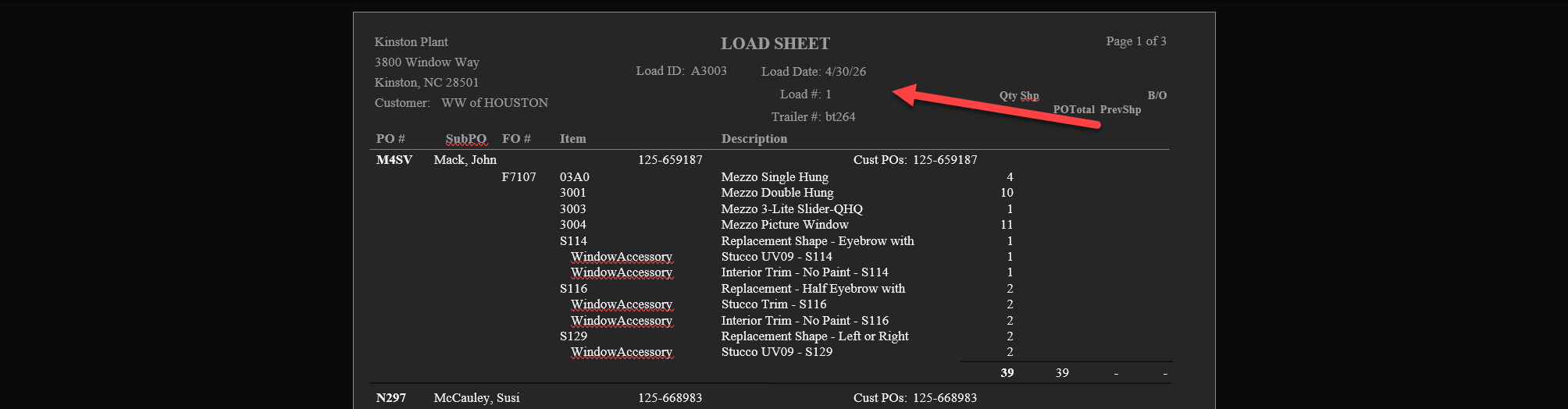
- Load Date
- Load #
- Trailer #
- Download the document and then save it as a PDF with the following format:
- TRAILER#_LOADDATE(YYYYMMDD)_LOAD#
- On the above example the file would be named: bt264_20260430_1
- Save the PDF in the following folder: S:\Production\productionscans\Scanned Load Sheets
- The second email will have a subject of: Advance Shipment Notice(s)
- It will have an xml file attached that will be used to import into Leads. Save this where it will be accessible in your Leads system.
- The first email will have the subject of: Load Sheet of MM/DD/YYYY Trailer CCCC
Importing into Leads:
- In Leads, search for: Import AMI Load Data
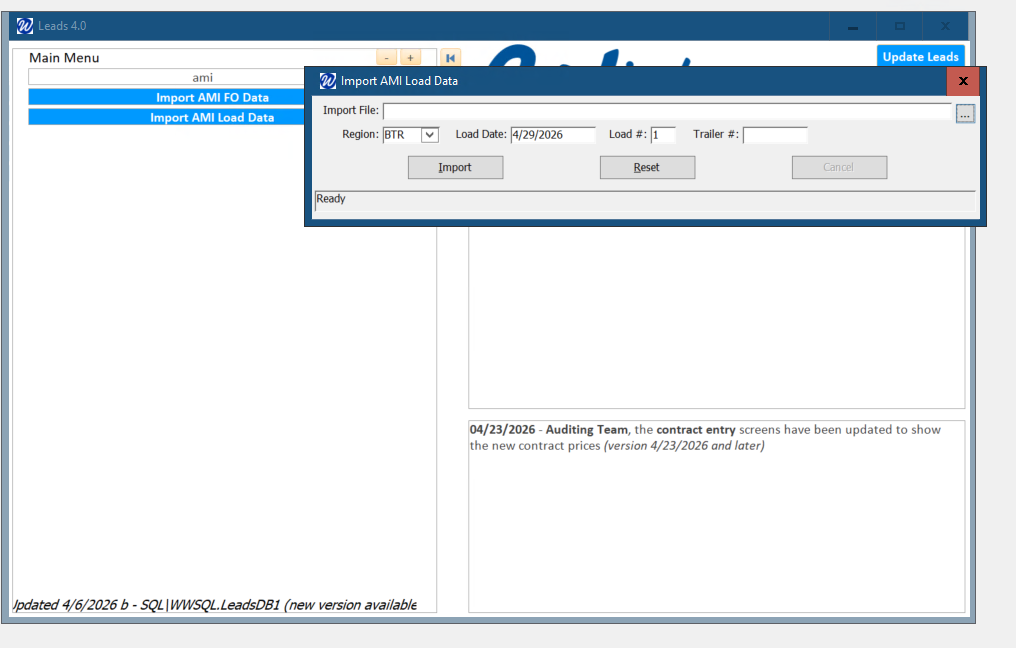
- Browse for the XML that you saved
- Ensure that the following are appropriately set:
- Region
- Load Date
- Load #
- Trailer #
- Once all is properly defined, click on Import.
- Validate that the import is completed by going into: Loads / Trailers
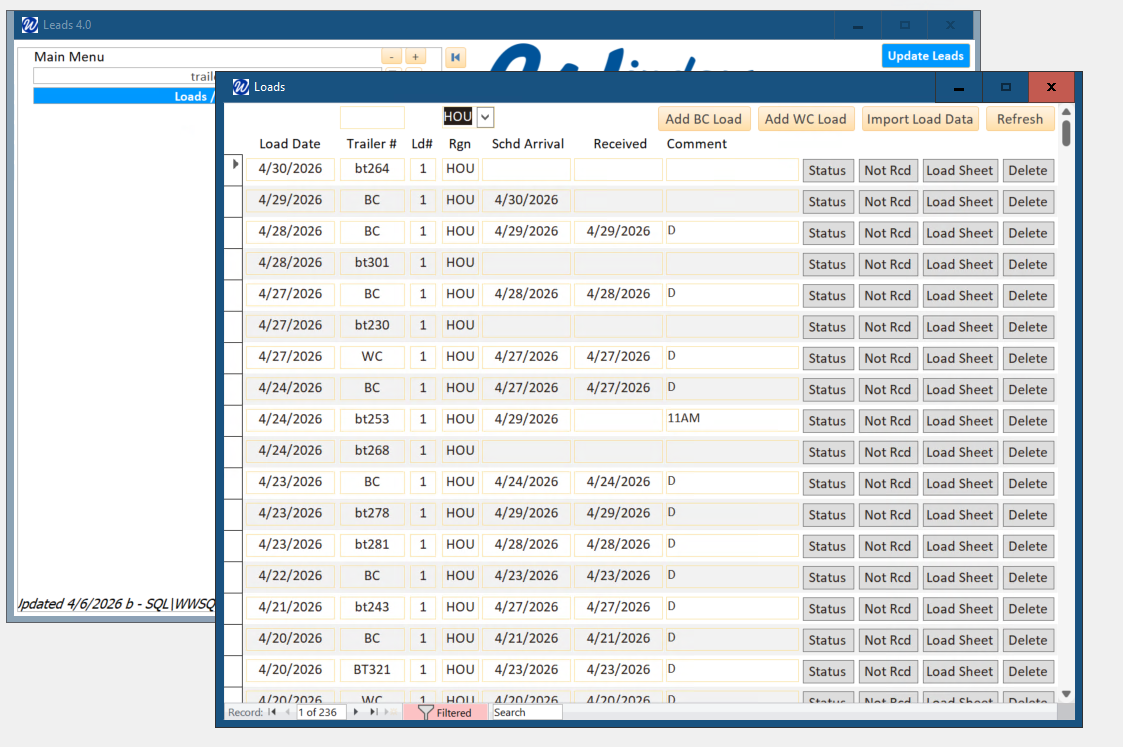
- Your recent import should be at the top of the list.
- Click on the Load Sheet to make sure the pdf was successfully tied.