
You should receive an email from the following email: ofsrep.ceosmuigw@wellsfargo.com
The email should contain your username and instructions on how to login: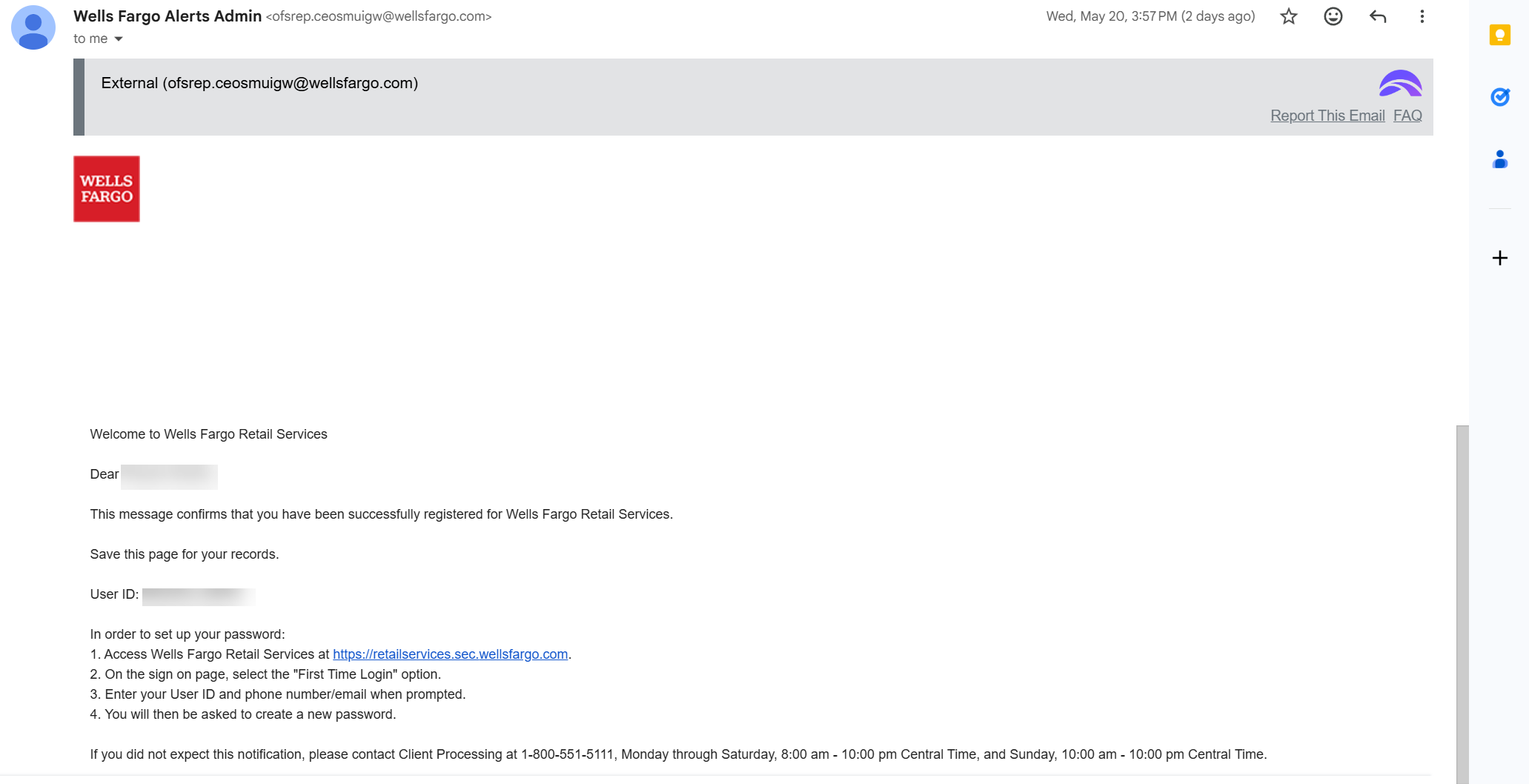
Create your account:
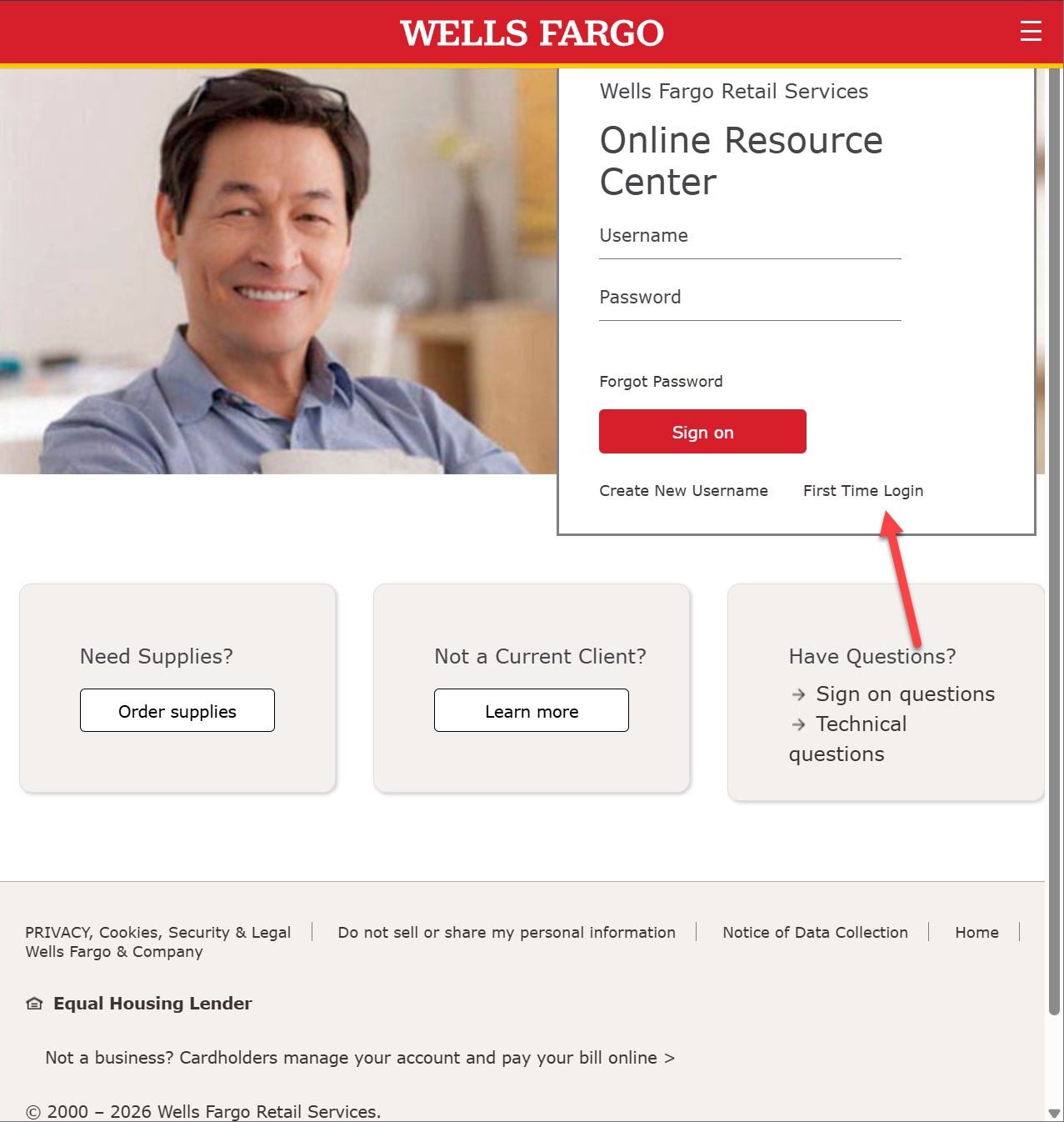
- To create the new account, navigate to: https://retailservices.sec.
wellsfargo.com - For the new account, select First Time Login
- Enter your user id and the form of authentication:
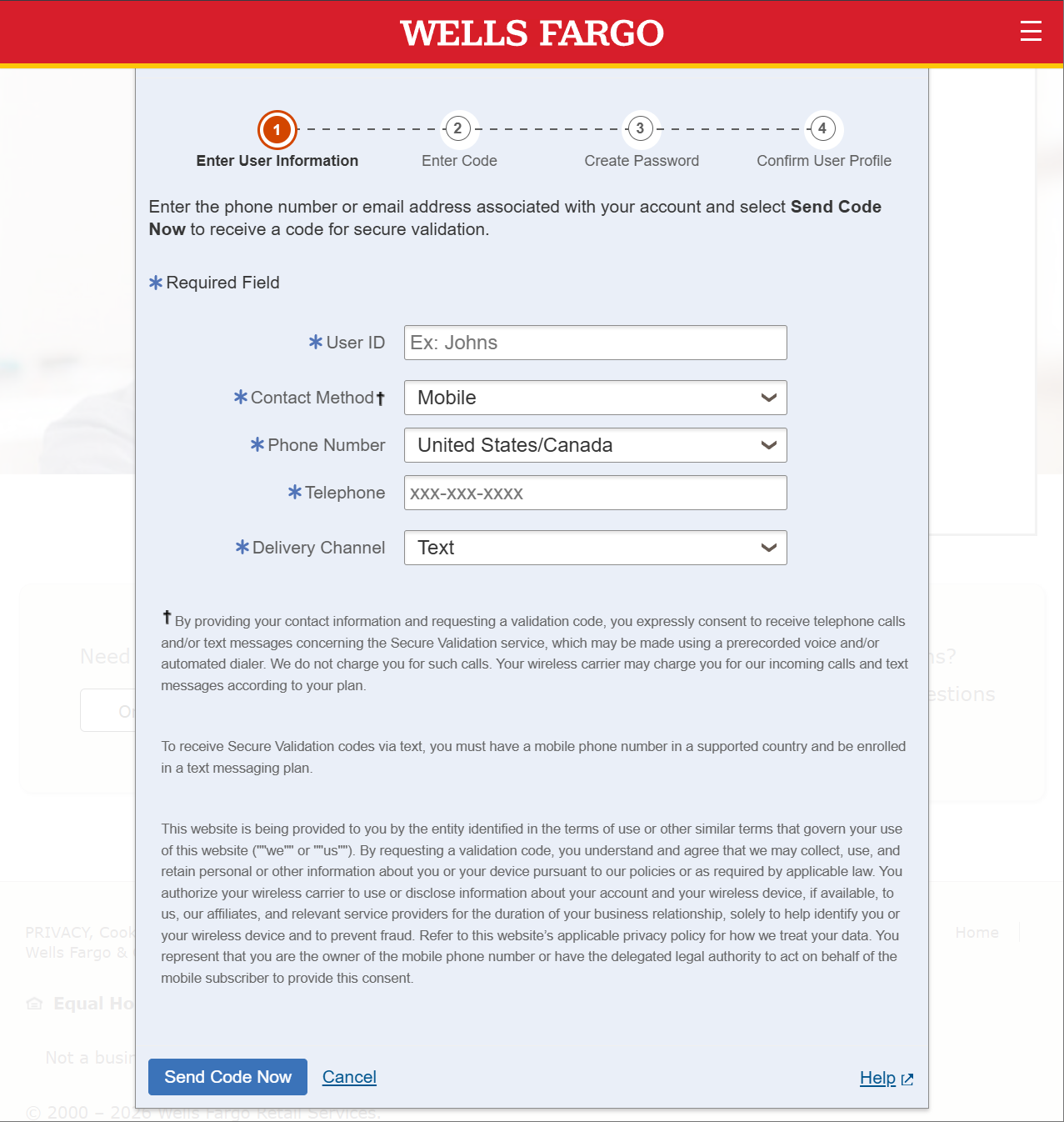
- The User ID will be part of the email you received
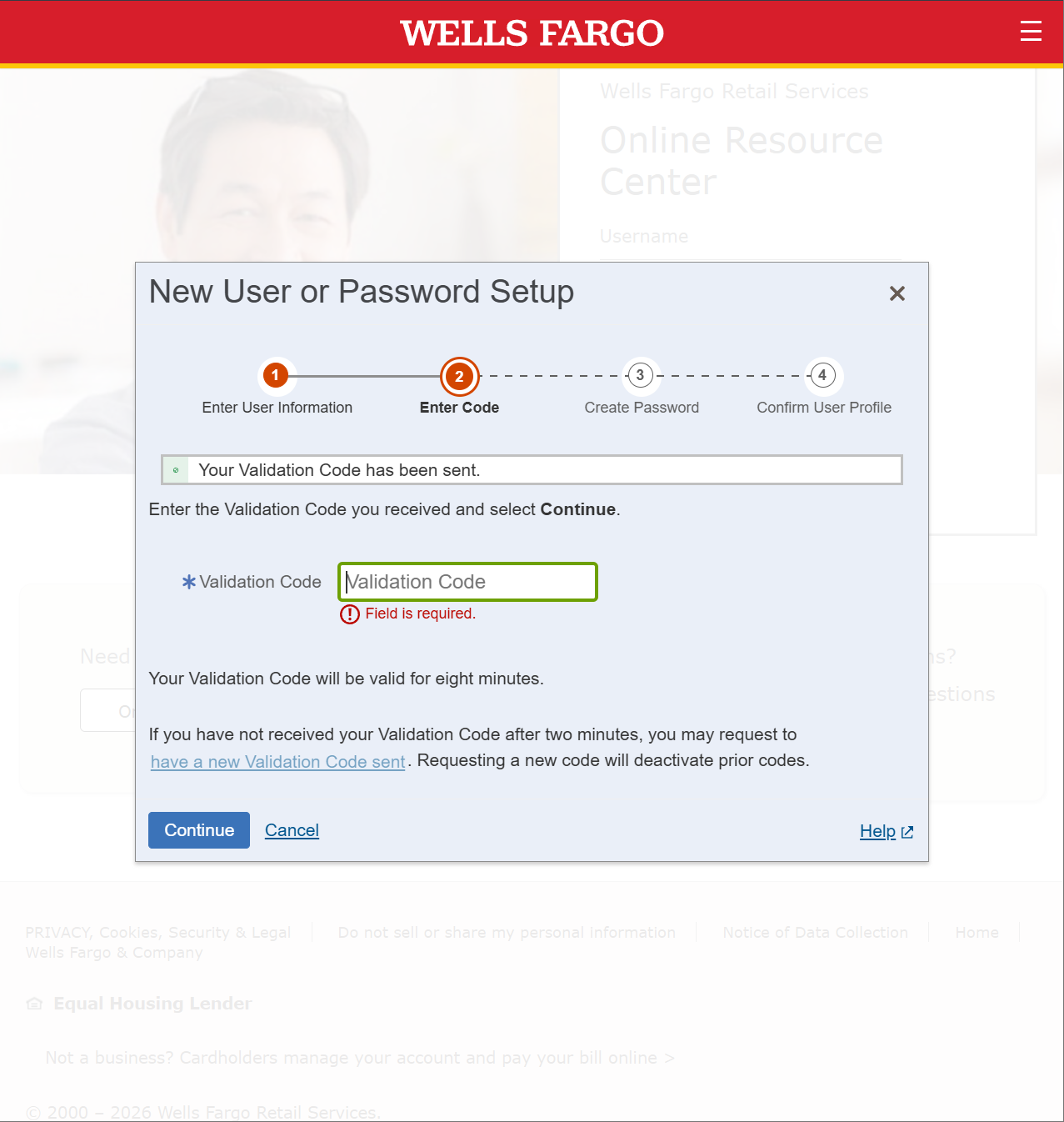
- On the next page, you will be asked to provide the code you received from the validation form:
- After validating the code, you can create a new password:
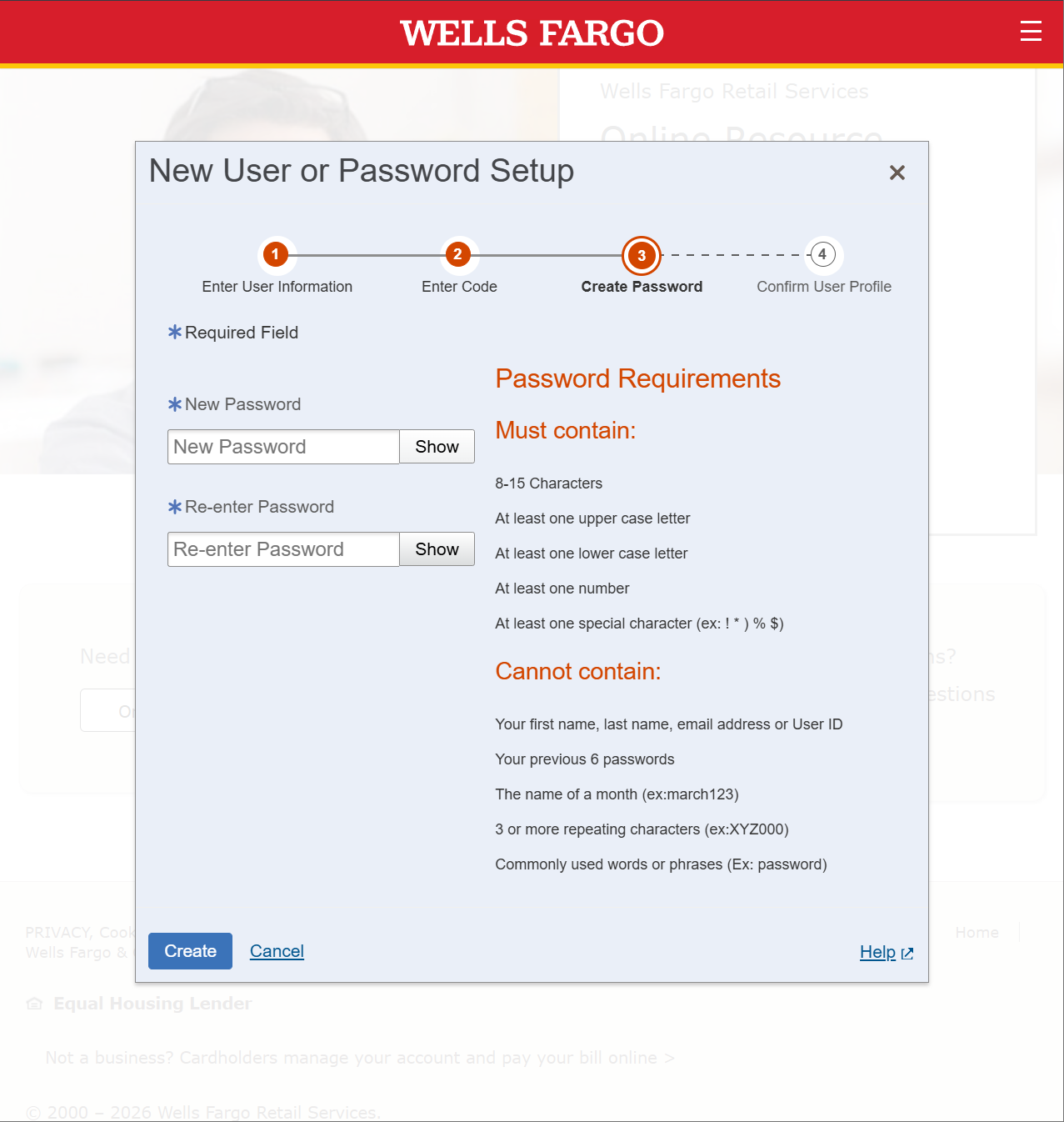
- After completing the password, you will be given a summary of your account:
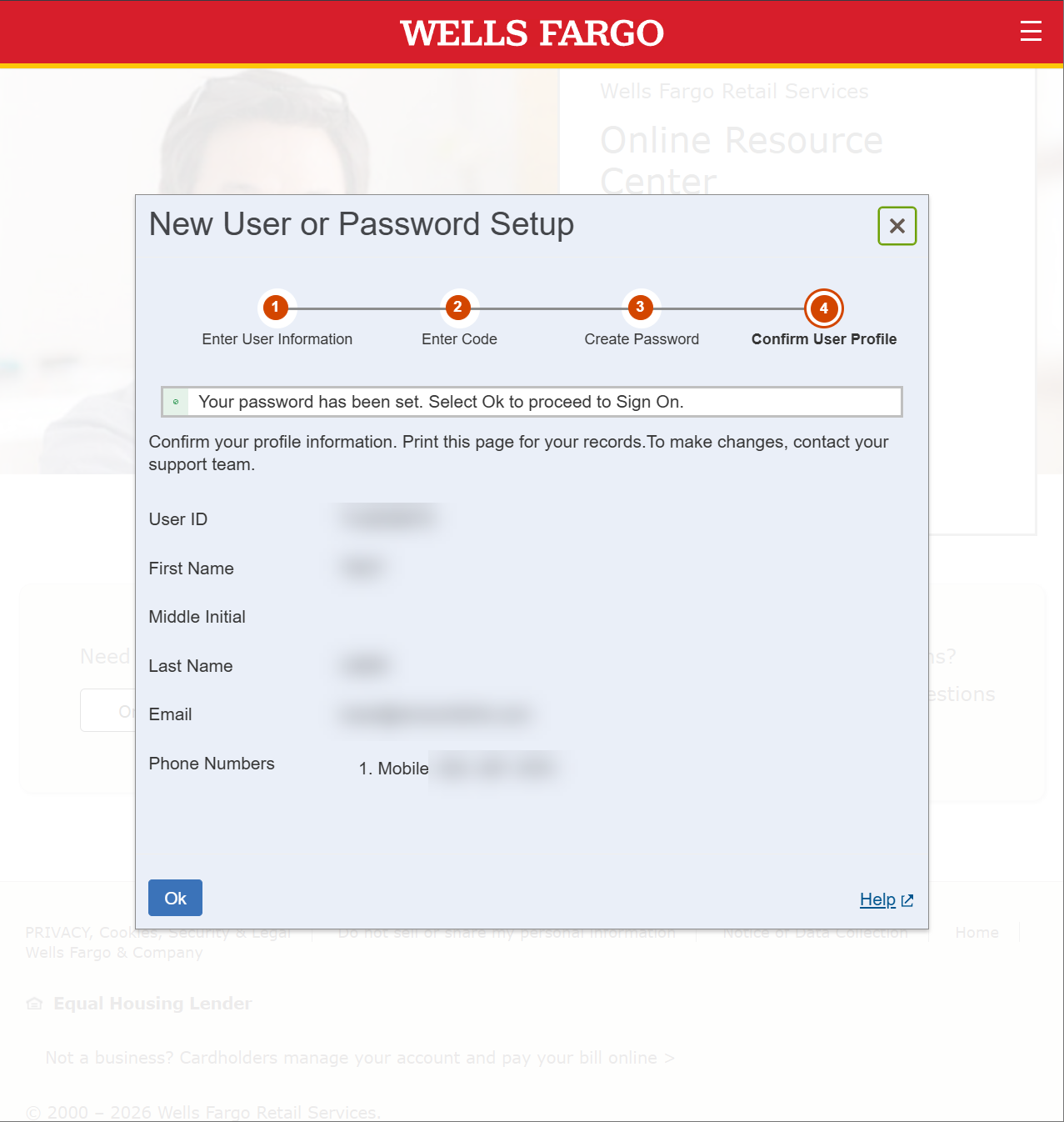
- This will complete the account creation, and you should be able to login with the new password you created.