
TABLE OF CONTENTS
User Dashboard
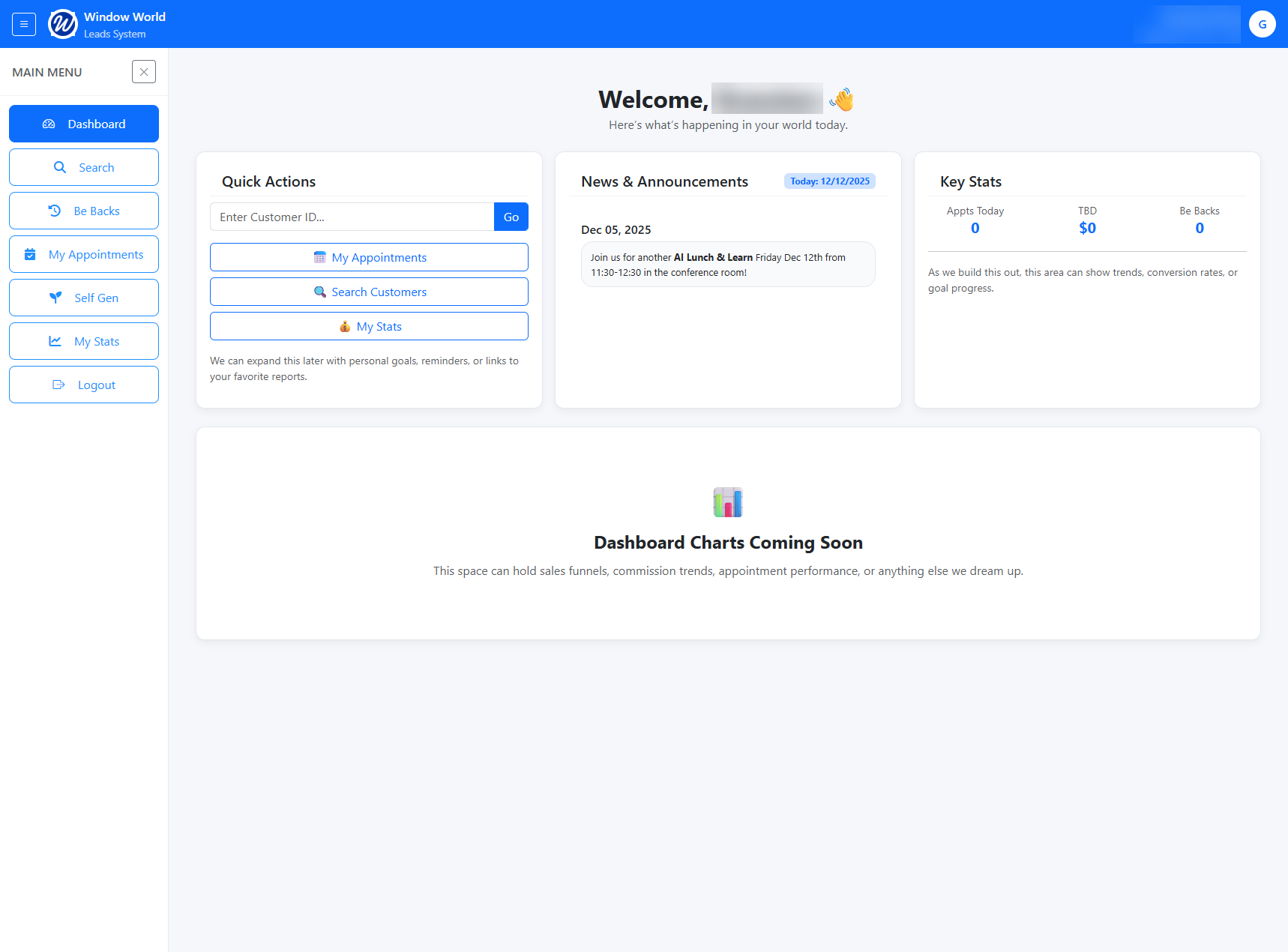
After logging in to the Leads Web App, users are directed to the User Dashboard. The following sections are available:
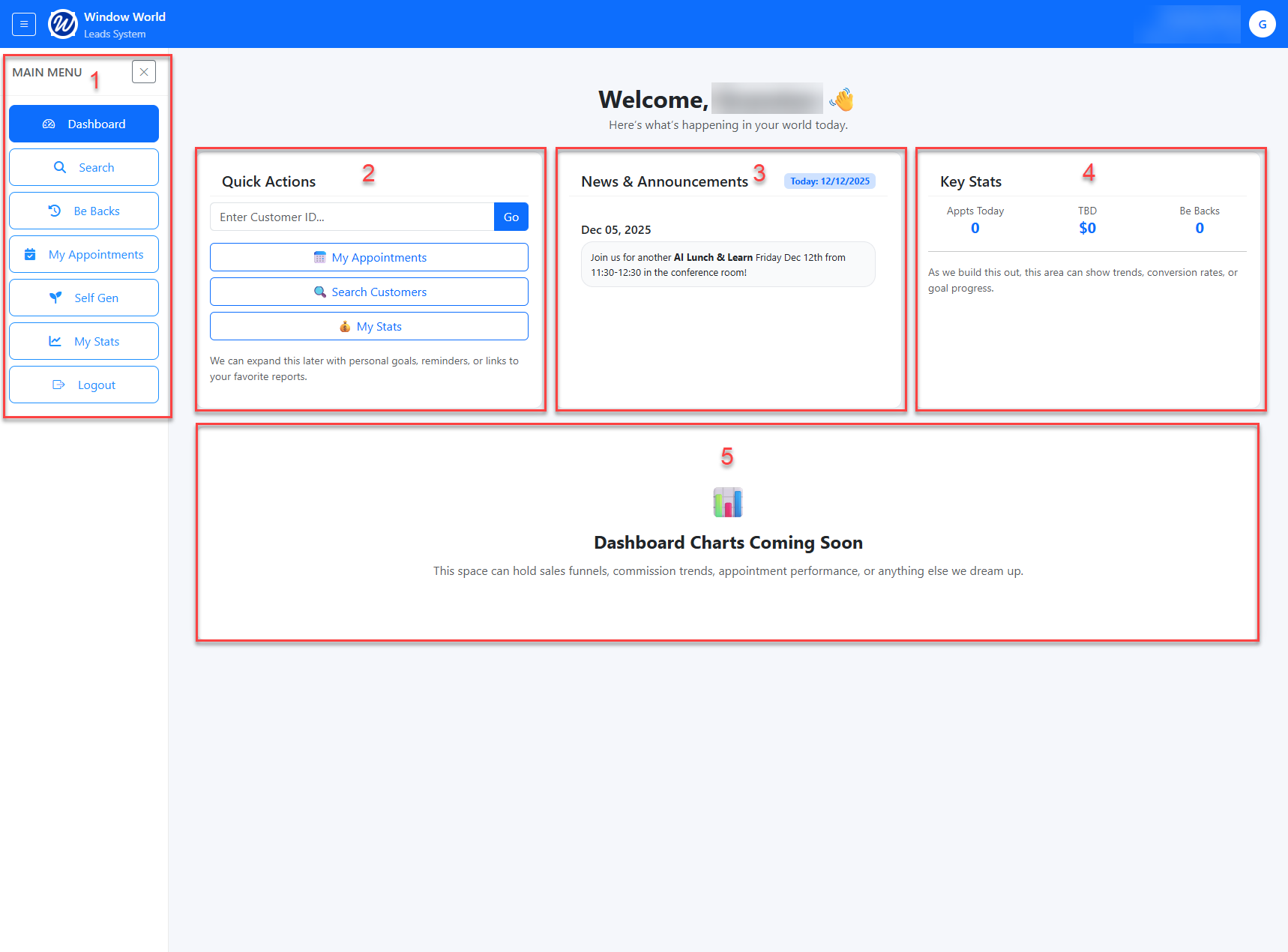
- Menu
- Quick Actions
- News & Annoucements
- Key Stats
- Dashboards
Navigation Menu
The navigation menu allows you to move between different areas of the application. 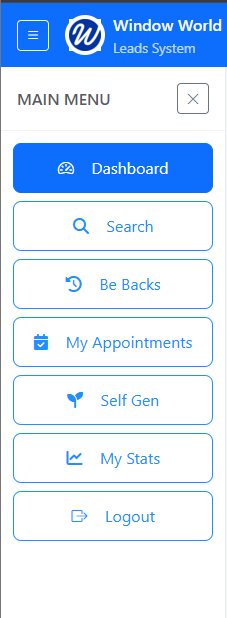
- Controls
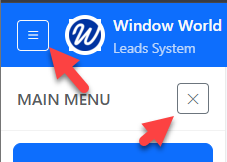 At the top of the screen, the hamburger menu allows you to expand or collapse the side menu to save screen space.
Next to the Main Menu title, the Close (X) icon also collapses the menu. - Dashboard
Returns you to the main User Dashboard, which provides a high-level overview of your activity. - Search
Allows you to search for leads using criteria such as Customer ID, address, phone number, and more. - Be Backs
Displays a list of “Be Back” leads within a selected date range and provides filtering options to refine the results. - My Appointments
Shows your scheduled appointments for a selected day and any appointments that do not yet have a result assigned.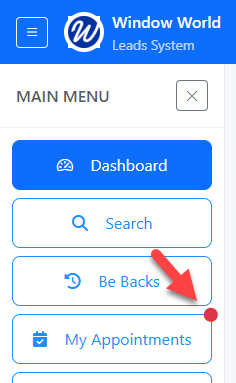
If there are appointments from the last three days without a result code, a red indicator will appear in the top-right corner of this menu item.
- Self Gen
Allows you to create a self-generated lead. - My Stats
Displays yearly performance metrics, including items sold, revenue, commissions, goal progress, and related dashboards. - Logout
Logs you out of the system.
Quick Actions
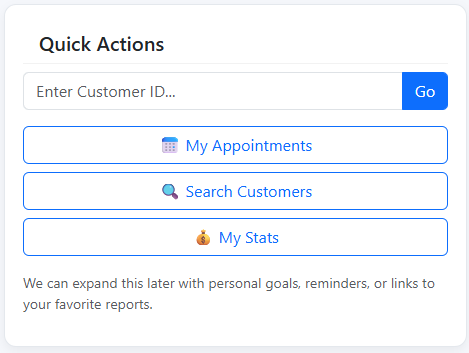
The Quick Actions section allows you to quickly perform the following tasks:
Search by Customer ID
Enter a Customer ID and click Go to quickly locate a customer without navigating to the full Search Customers page.My Appointments
Opens the full my appointments page, the same as selecting My Appointments from the navigation menu.Search Customers
Opens the full customer search page, the same as selecting Search from the navigation menu.My Stats
Opens the Stats page, providing the same as selecting My Stats from the navigation menu.
News & Announcements
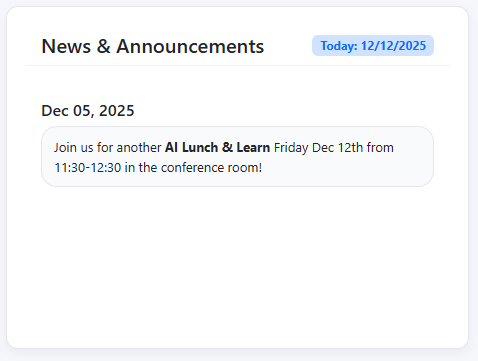
News & Announcements shows important updates and upcoming events relevant to you.
Key Stats
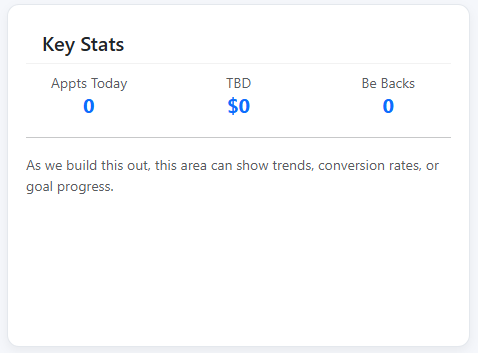
The Key Stats section currently displays the following items:
Appts Today
Takes you to the My Appointments page and automatically filters the list to show today’s appointments.TBD
Placeholder for future metrics. This item will be updated in a later release.Be Backs
Takes you to the Be Backs page and automatically filters the list to show today’s Be Backs.
This section is still a work in progress, and additional items will be added in future updates.
Dashboards
The Dashboard section is currently under development and will include key dashboards in a future release.