
TABLE OF CONTENTS
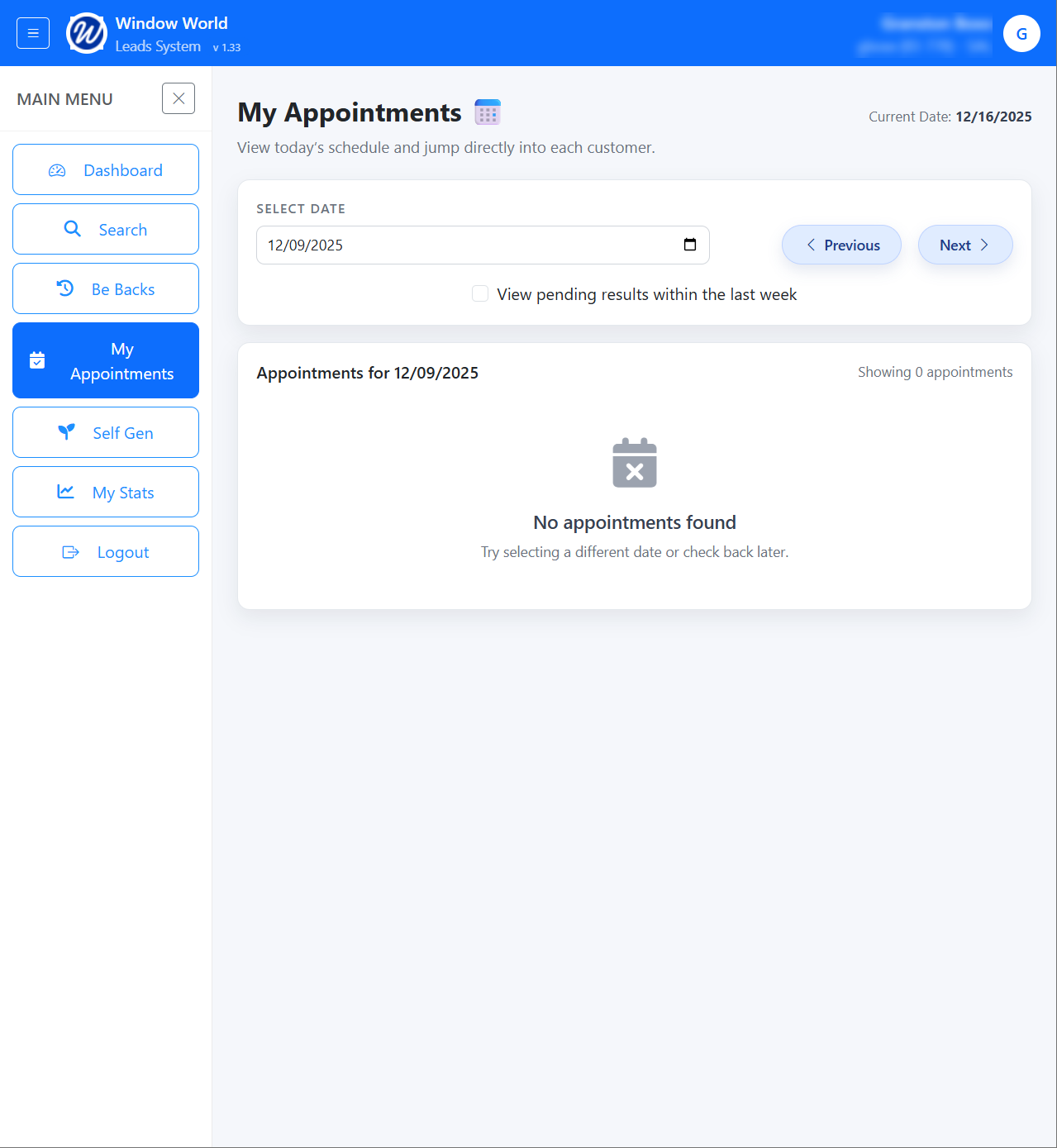
On the My Appointments page, you can view the daily appointments based on the selected date:
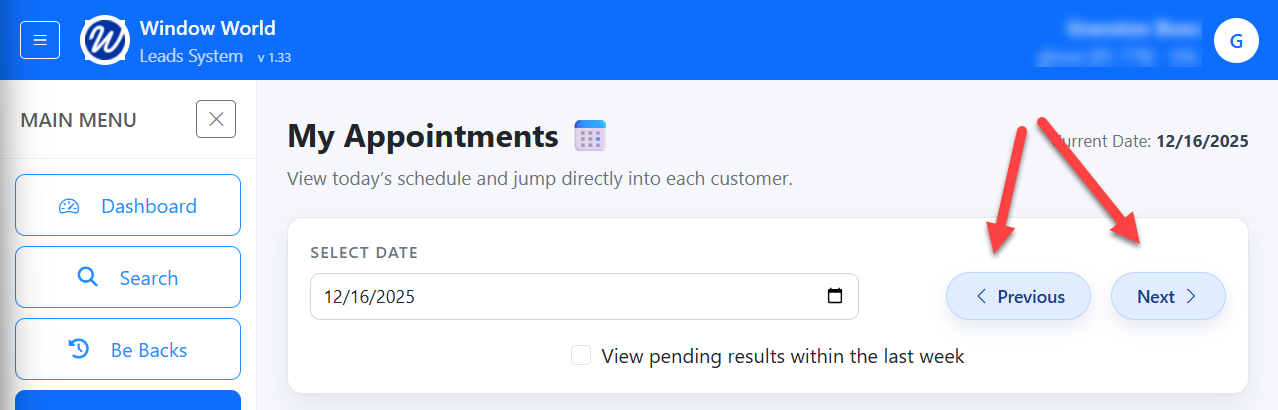
You can navigate through the days by clicking the Previous/Next buttons.
Based on the selected date you will see the appointments for that day:
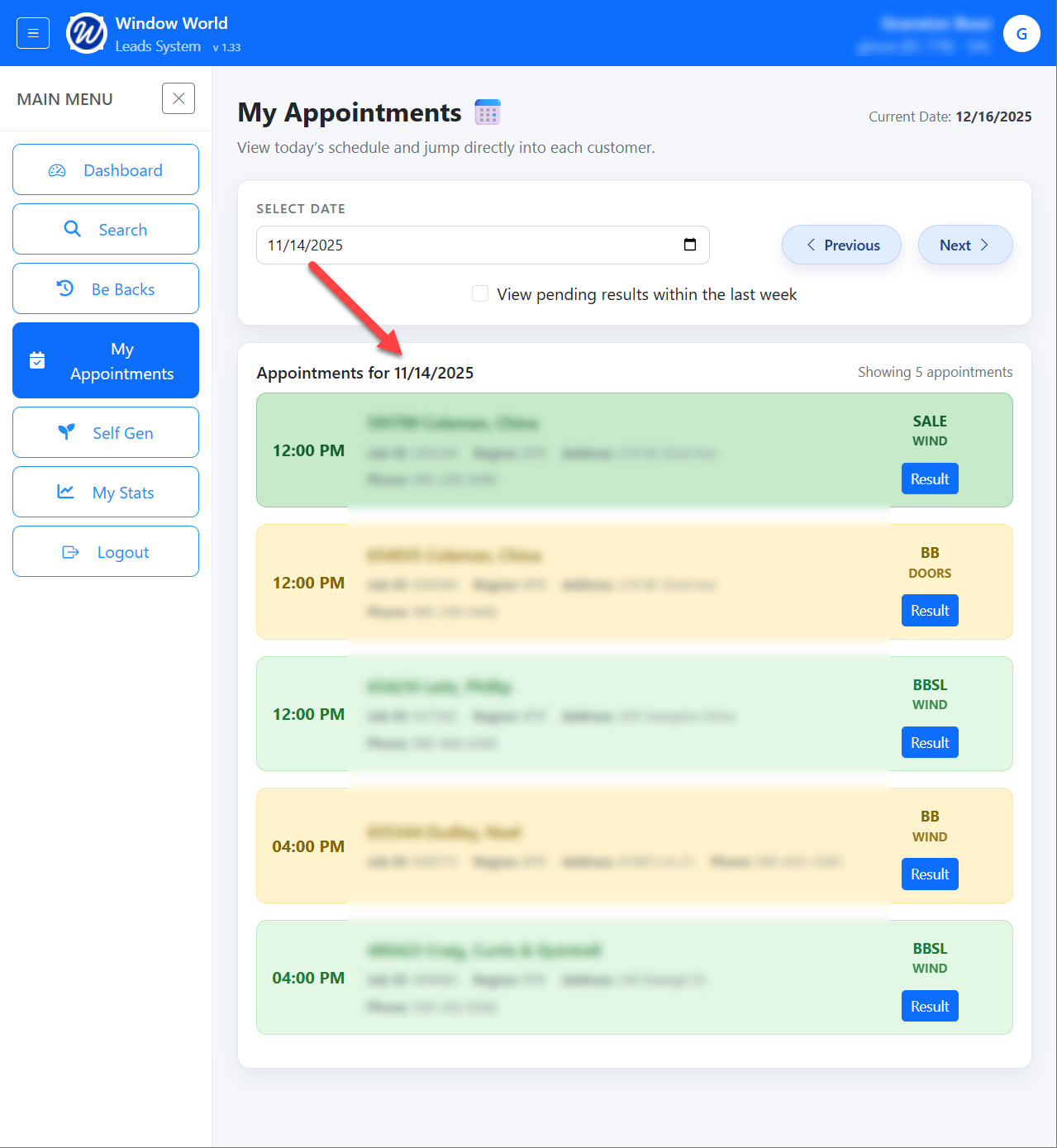
Similar to the Be-Backs, the appointments will be colored coded based on the Result assigned.
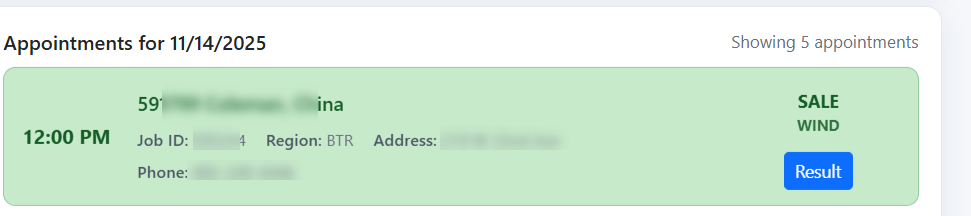
The following data is provided on the appointment card:
Customer ID
Name
Job ID
Region
Address
Phone
Result
Product
Time of appointment
Result Button
Clicking on a record will take you to the Customer Information page.
Result:
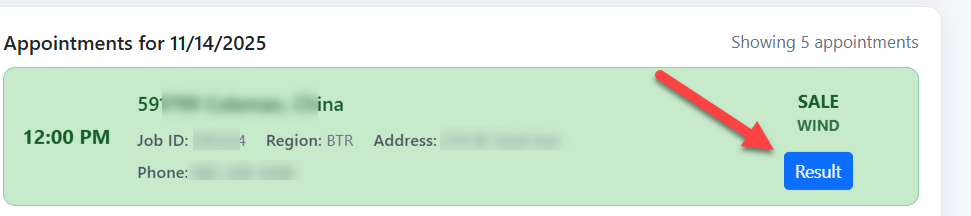
By clicking on the Result button, you are able to update the result of the appointment:
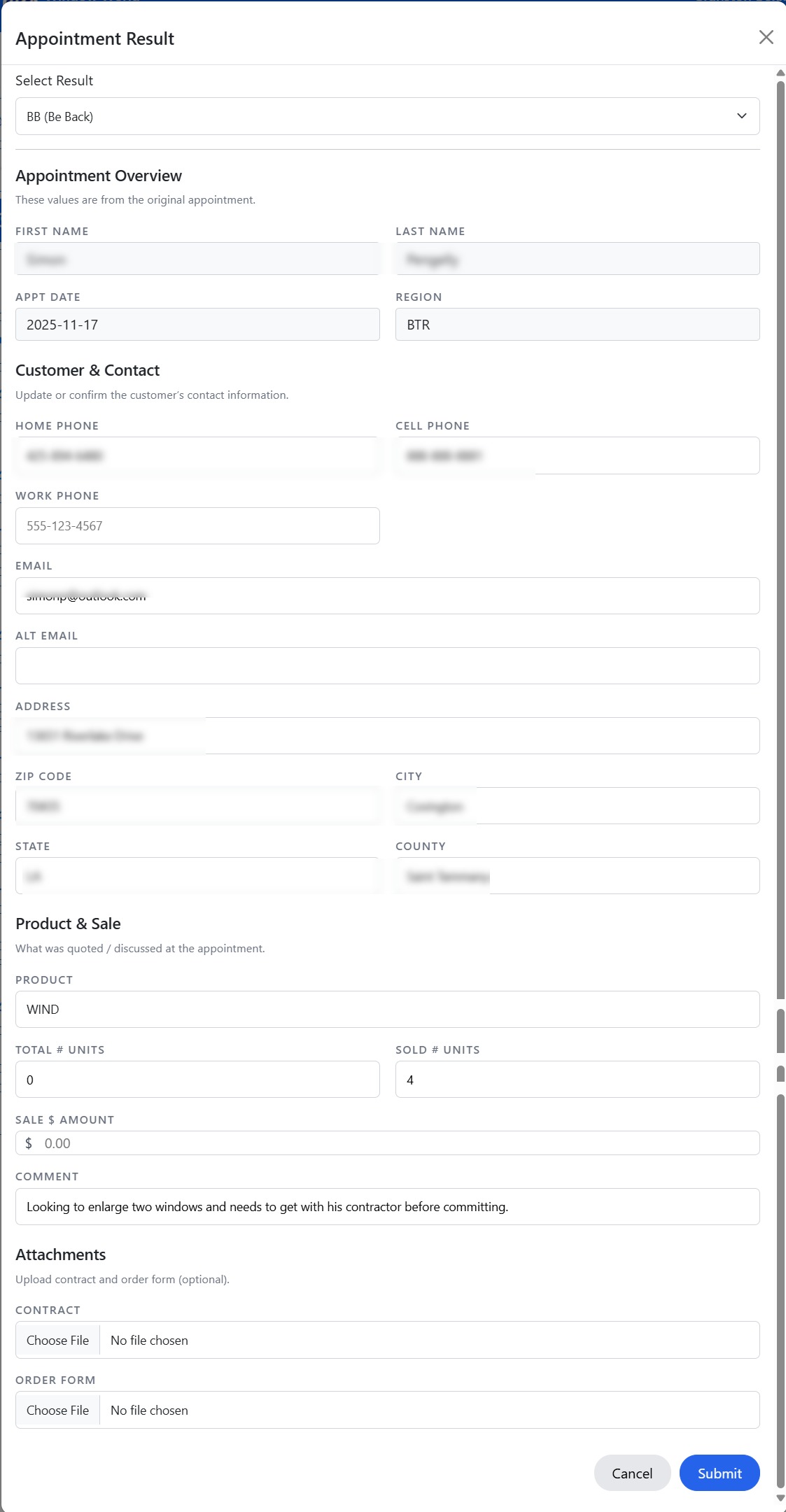
You can adjust the following:
- Result Type
- Customer Contact information:
- Home Phone
- Cell Phone
- Work Phone
- Alt Email
- Address
- Zip Code
- City
- State
- County
- Product
- Product Type
- Total # of Units
- Sold # Units
- Sale $ Amount
- Attachments
- Contract
- Order Form
Pending Results:
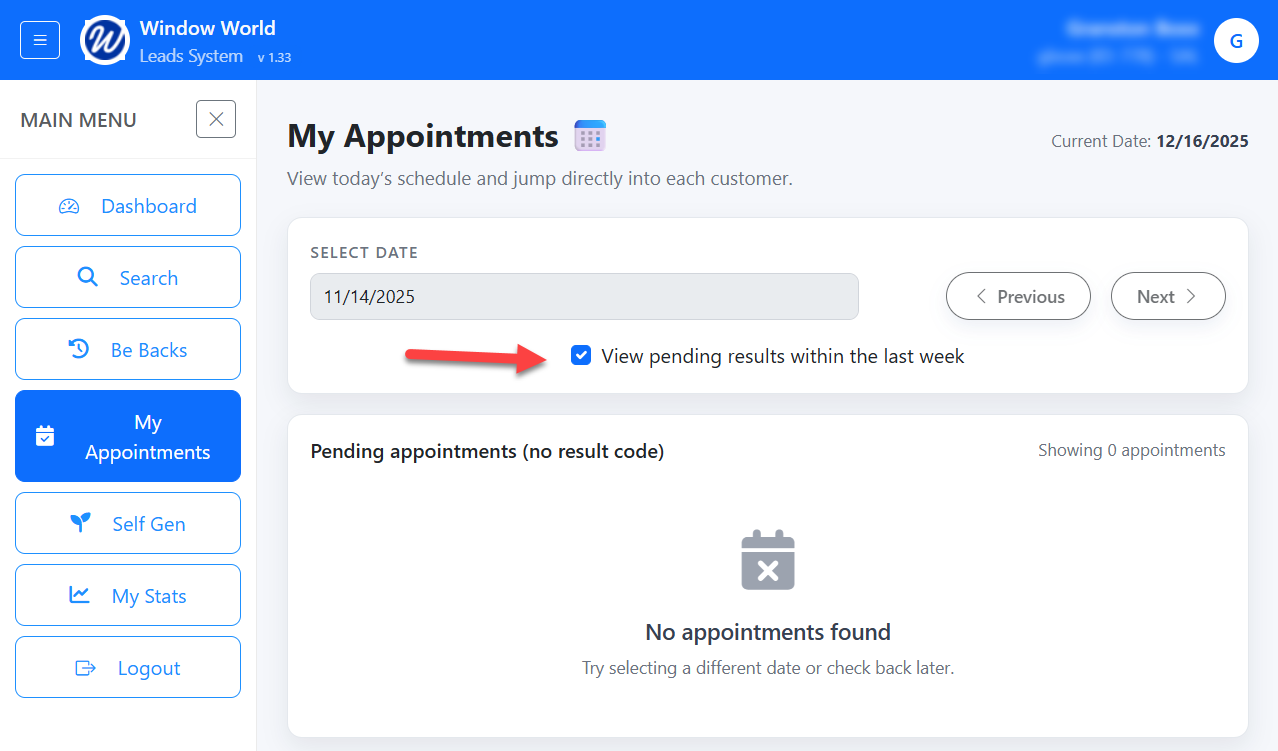
By selecting the 'View pending results withing the last week' option, this will display any appointment in the last week that has not been assigned a result code.
The results will be grouped by the dates of the appointment.
Notifications:
If there are any appointments, in the last week that have no result you will see a red dot on the menu item:
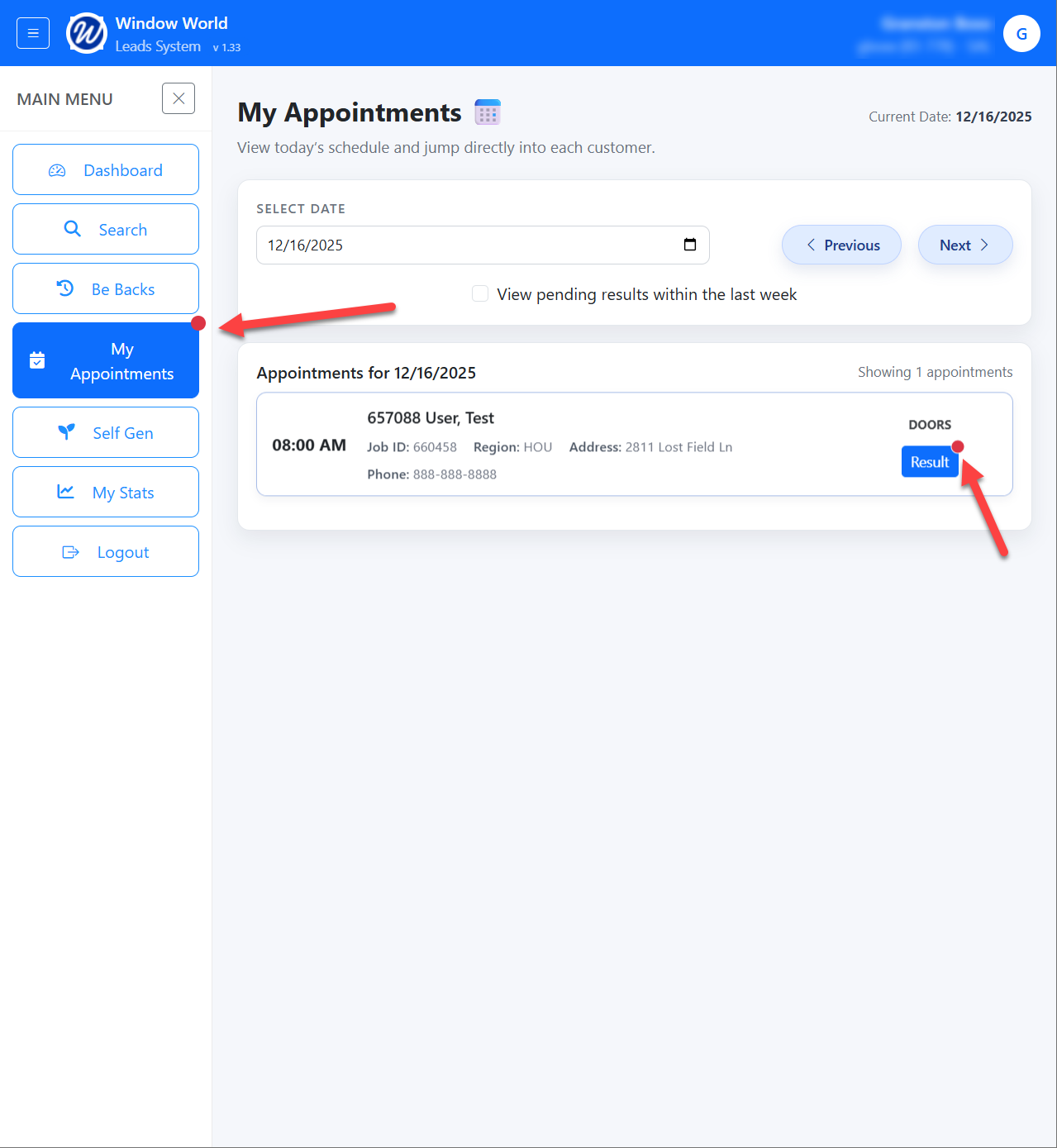
Additionally, the appointments with no result will have a red dot next to the Result button.