On the Self Gen page, the sales person is able to create a new self-generated sale:
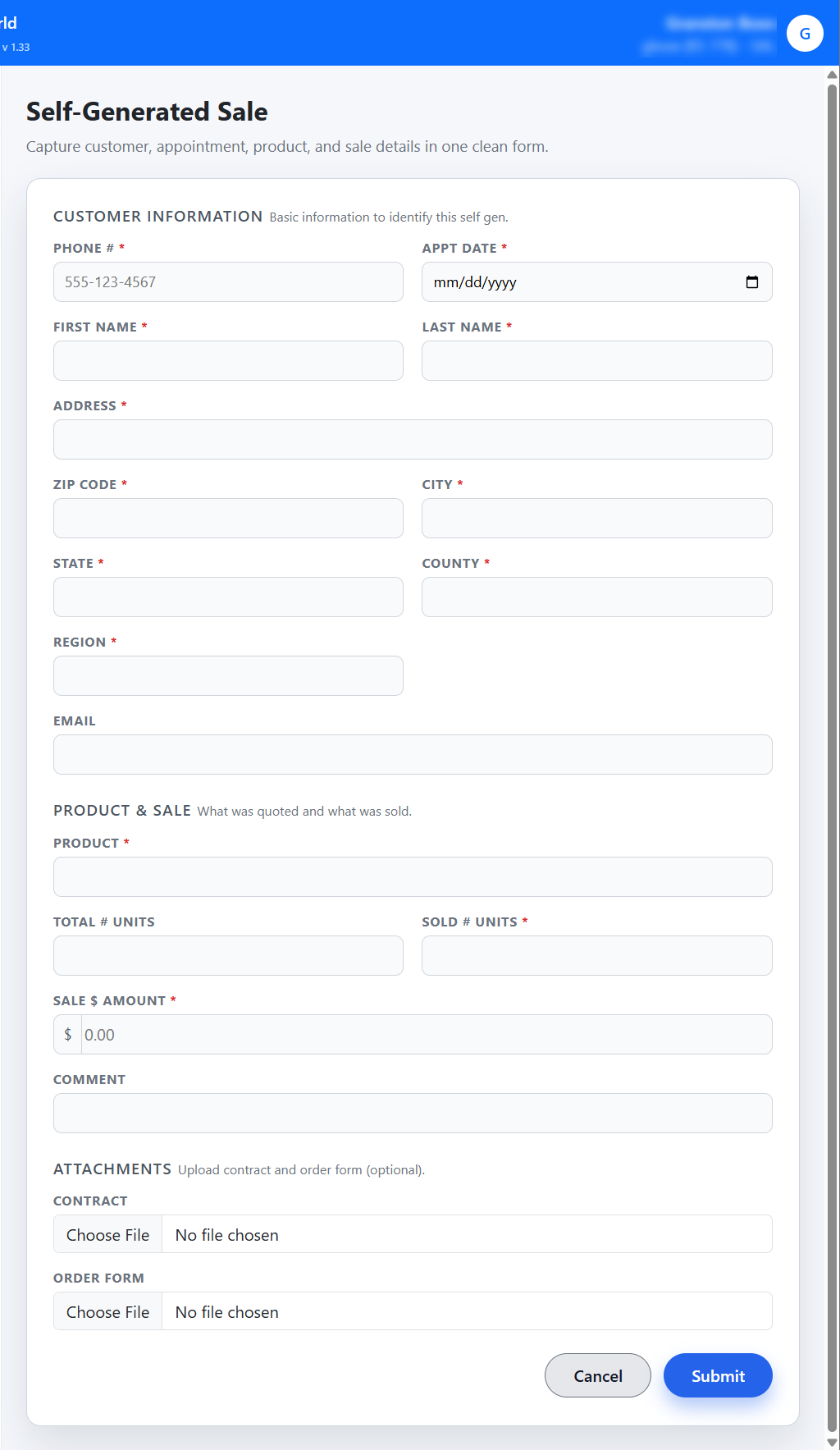
The user will need to enter the above information and can attach a Contract or an Order Form.
Once submitted it will take you to the Customer Information page.

Modified on: Tue, 16 Dec, 2025 at 1:01 PM
On the Self Gen page, the sales person is able to create a new self-generated sale:
The user will need to enter the above information and can attach a Contract or an Order Form.
Once submitted it will take you to the Customer Information page.
Did you find it helpful? Yes No
Send feedback